
Eighteen modules, one system, one database.
Each module is useful on its own; together, work that ends in one module starts automatically in the next. Licensing is per module: start with what you need and add more as you grow.
Audit Preparation
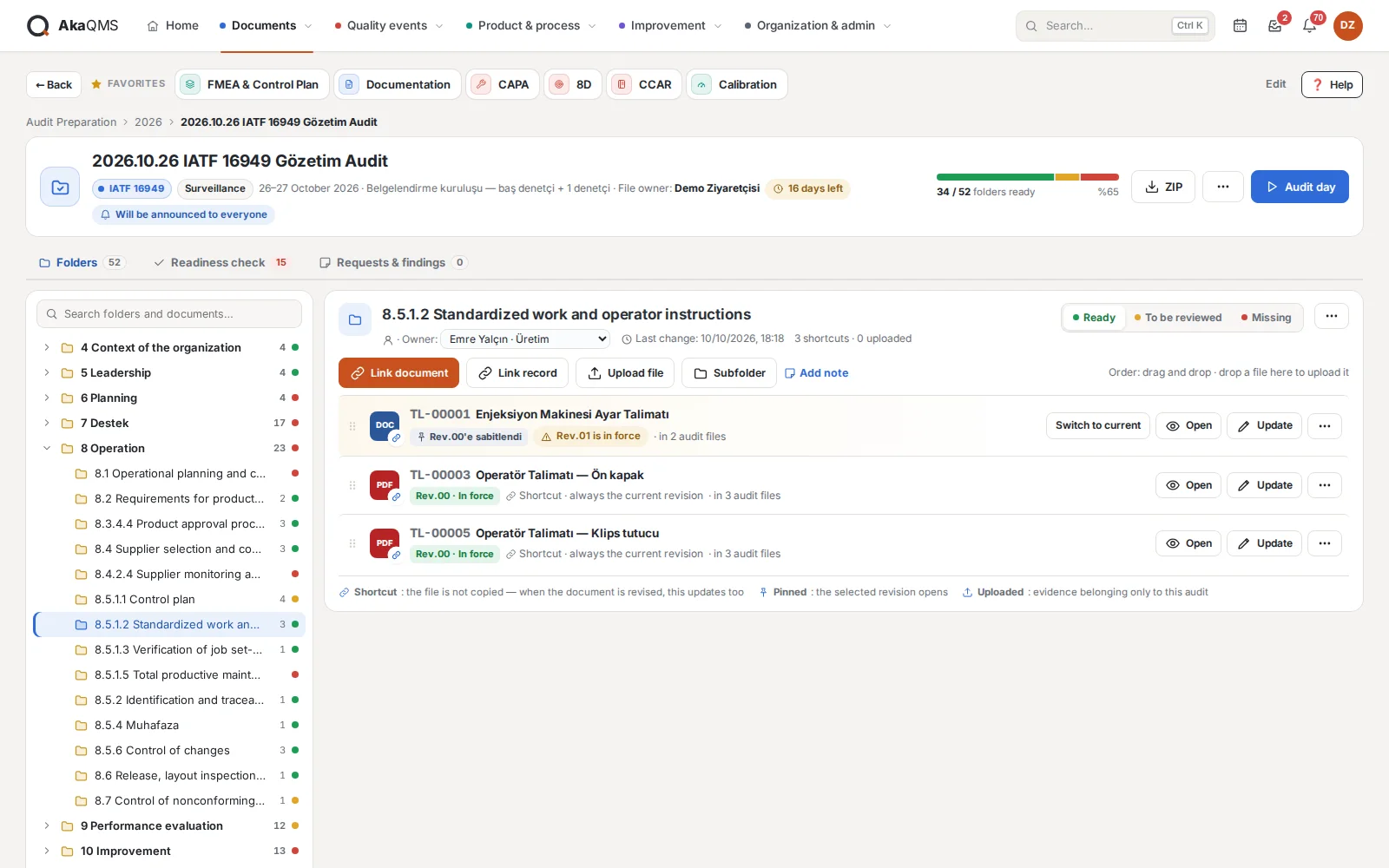
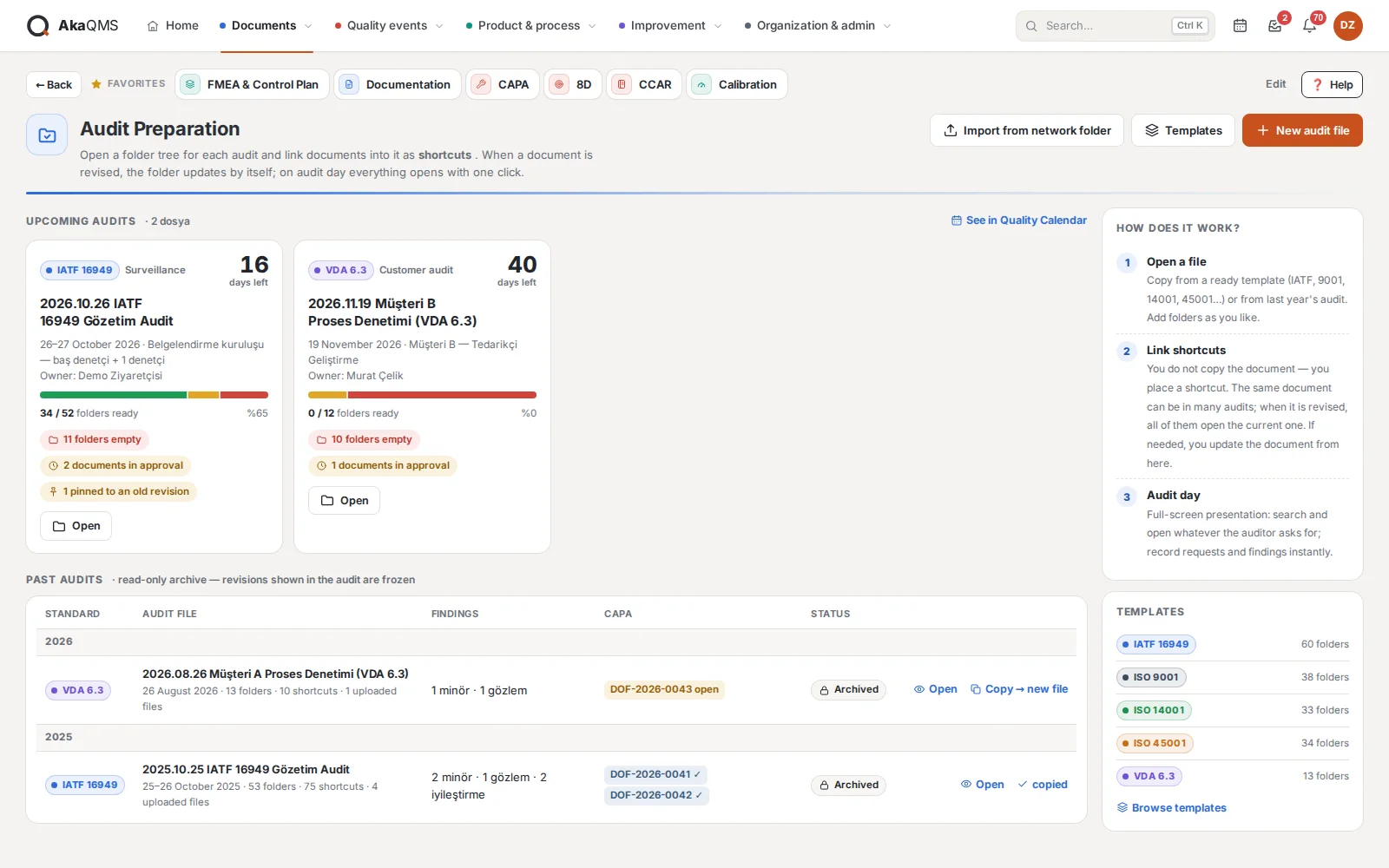
Replaces the folders opened on a network drive for every audit: each clause is a folder, documents are not copied but linked as shortcuts. When a document is revised, the audit folder opens the revision in force as well.
- From a template or from last yearIATF 16949, ISO 9001, ISO 14001, ISO 45001 and VDA 6.3 folder trees are ready; you can save your own template too. Copy last year's audit with its folders, owners and shortcuts.
- Shortcut, not a copyA document always opens with its current revision or is pinned to a revision. CAPA, 8D, internal audit, calibration, FMEA, MSA, SPC, change and lessons learned records can be added to a folder as well; only evidence specific to this audit is uploaded as a file. A shortcut never bypasses permissions: a restricted document cannot be opened without access.
- Folder owner and statusEach folder gets an owner and is marked ready, to be reviewed or missing. Folders are reordered by drag and drop, and a file is uploaded by dropping it on a folder.
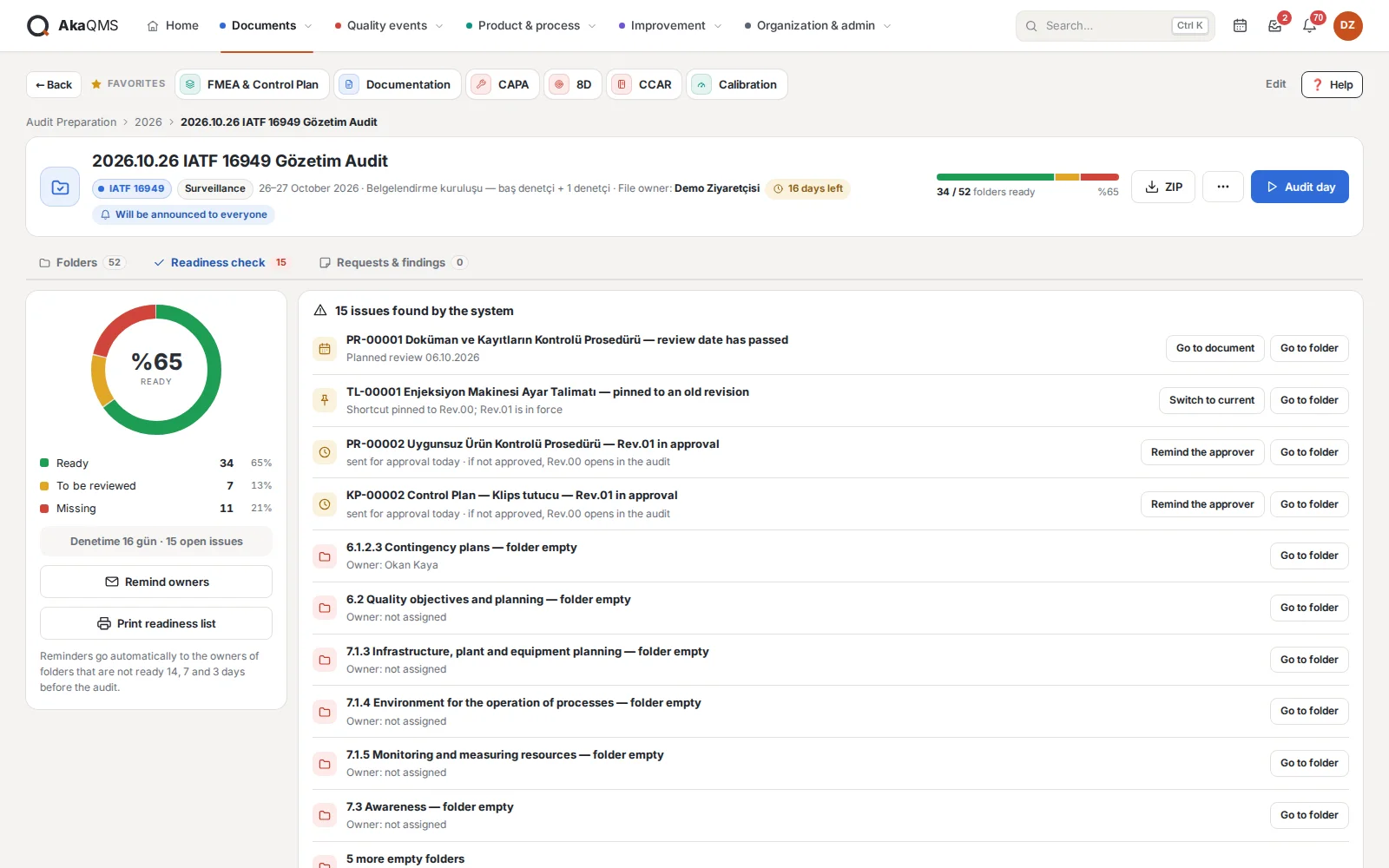
- Readiness checkReadiness percentage and the issues the system finds in one list: empty folder, document past its review date, revision awaiting approval, shortcut pinned to an old revision. Owners of folders that are not ready are reminded 14, 7 and 3 days before the audit; the list can be printed.
- Update the document from hereOpen a document you find lacking straight from the audit file and upload its new revision; approval rules and permissions are the same as in Documentation.
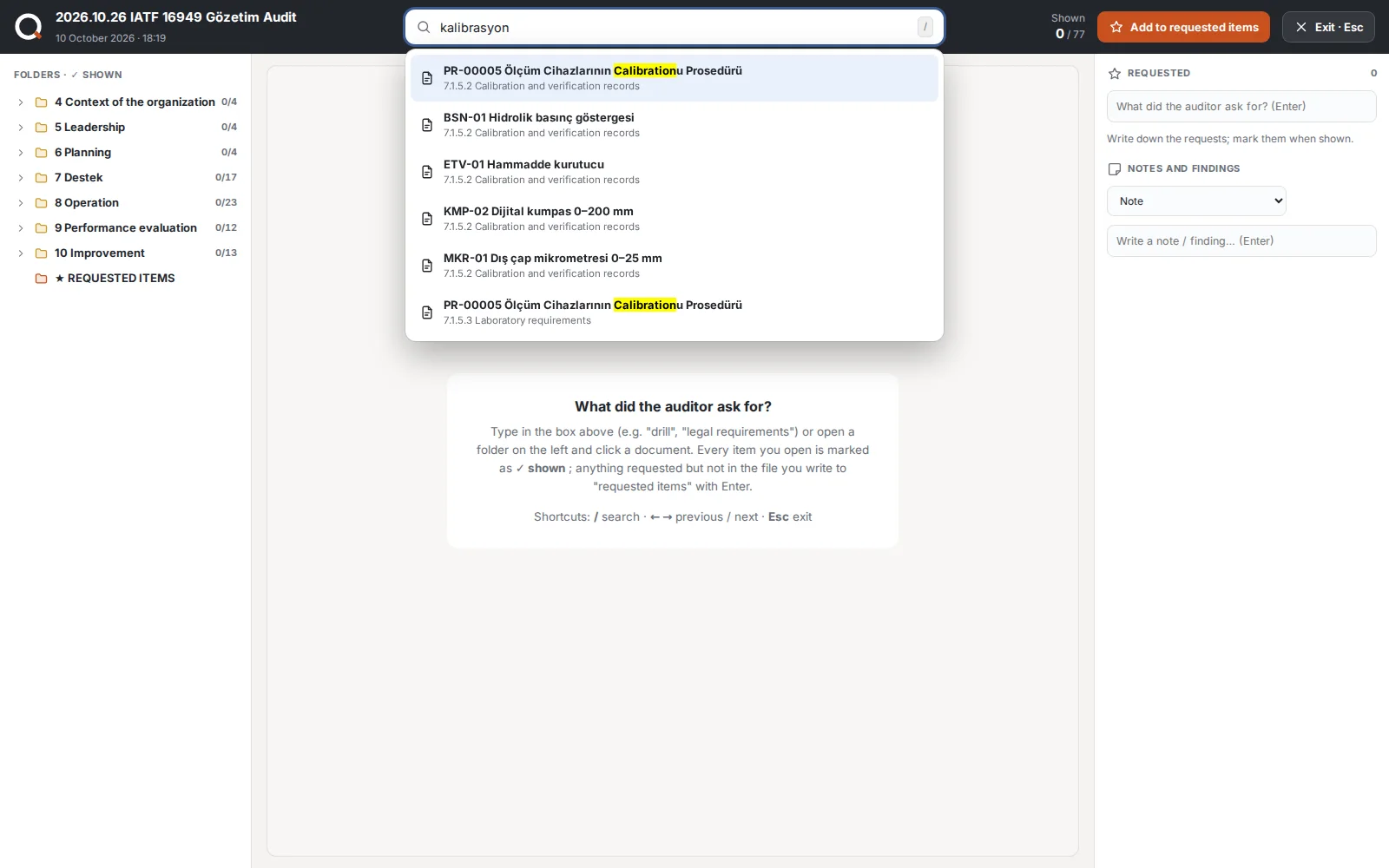
- Audit dayFull screen: search and open whatever the auditor asks for; each opened item is marked "shown". Requests the file cannot answer go to "requested items", notes and findings are recorded on the spot.
- CAPA from a finding, then archiveMinor, major, observation and improvement notes; a finding becomes a CAPA with one click. An archived audit is read-only and the revisions shown during the audit are frozen: years later, the document shown to the auditor still opens.
- Import from a network folderSelect your existing audit folder; files identical to a document in the system become shortcuts, and files the system cannot be sure about are put to you.
- Everyone informedExternal audits appear in the Quality Calendar; for customer and certification audits, all users get an announcement 7 days and 1 day before. The audit file can be downloaded as a single ZIP.
FMEA & Control Plan
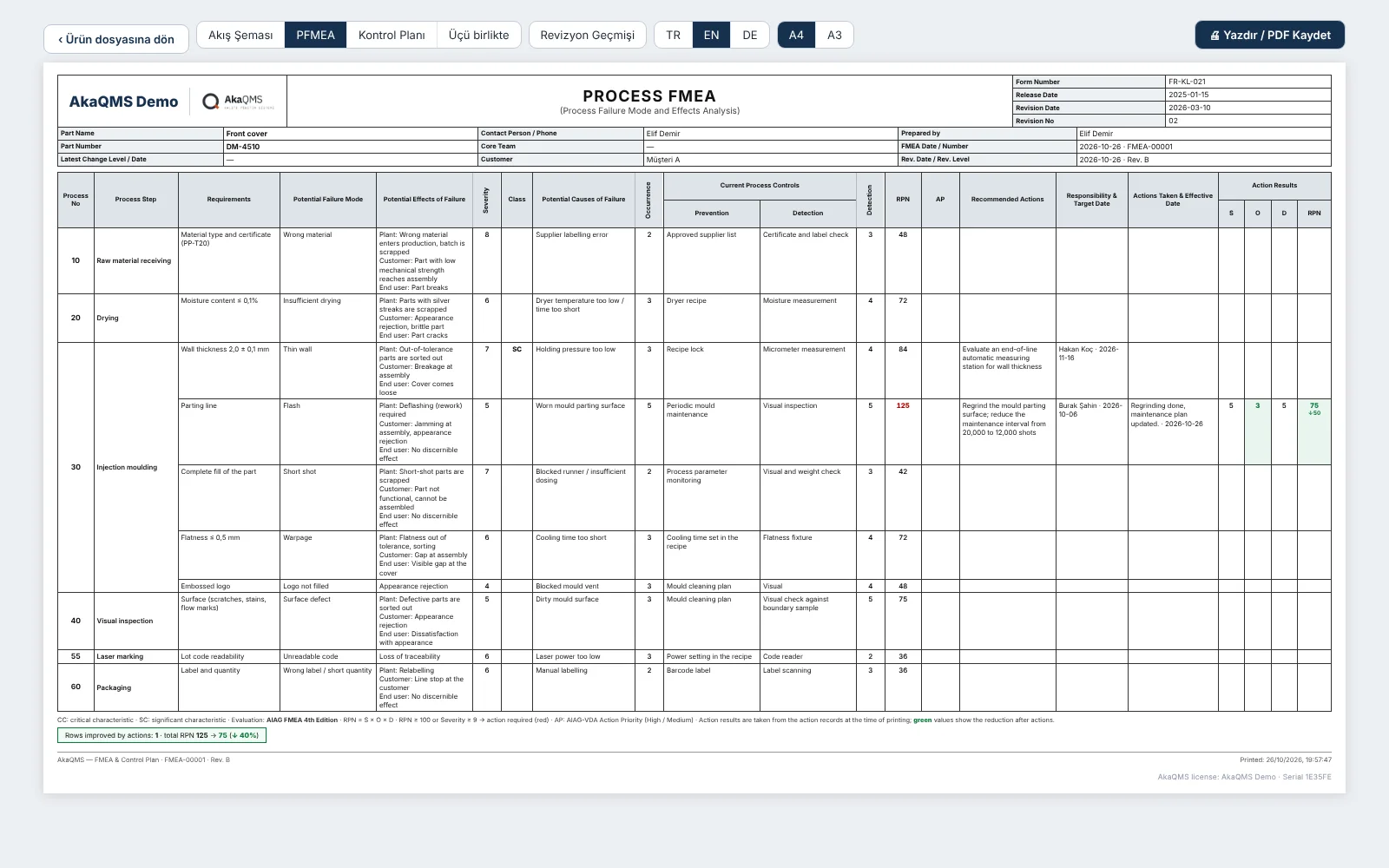
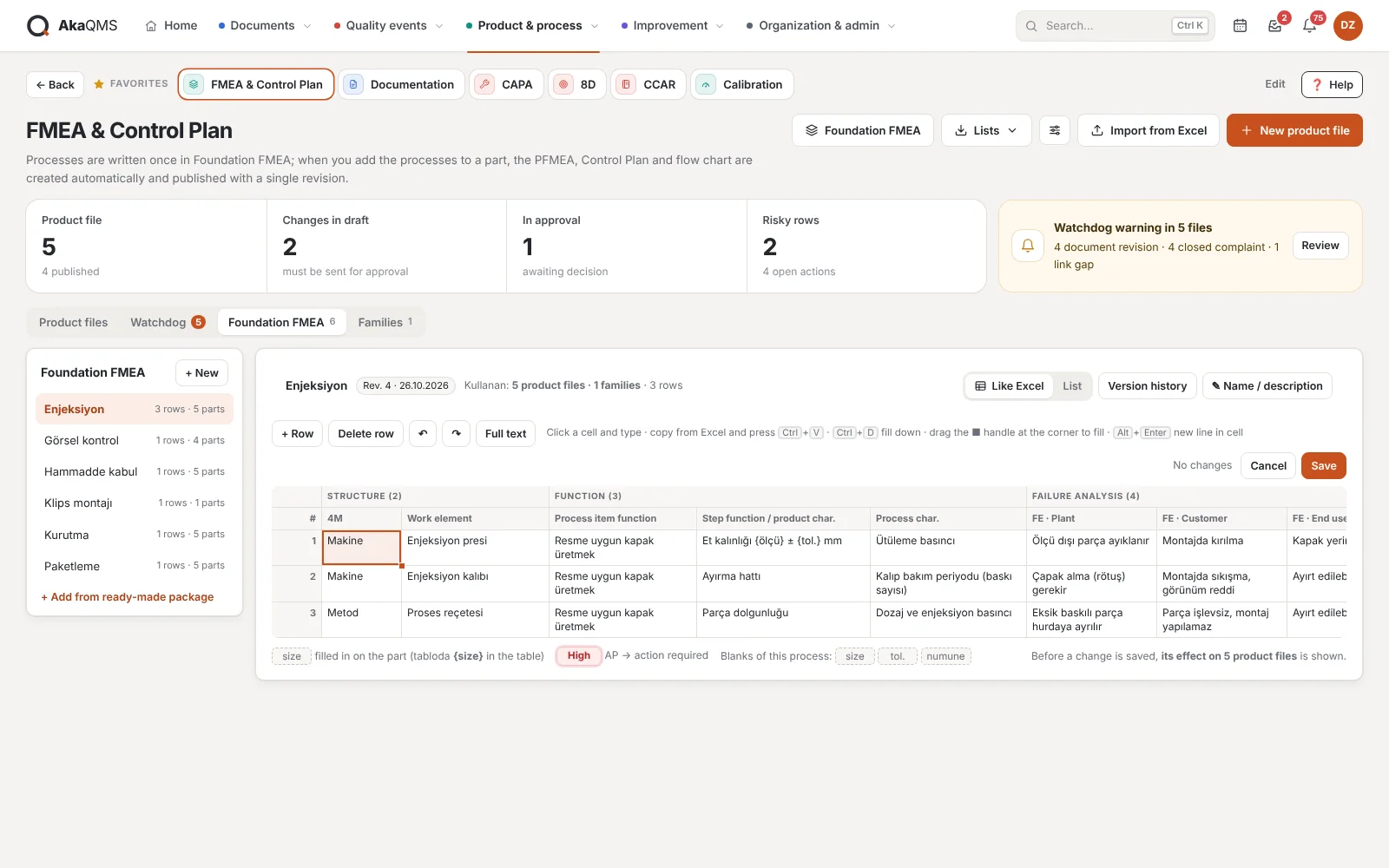
PFMEA, Control Plan and process flow diagram are prepared from the same data, with one revision number. The standard risks of each process are written once in the Foundation FMEA; adding processes to a part brings their rows, and values that vary from part to part, such as dimension, tolerance or mould, stay as placeholders and are filled in for each part.
- Three layersFoundation FMEA → Family (optional) → Product file. Each part has one product file (FMEA-00001). A starter package for companies starting from scratch: six typical processes from receiving to final inspection and packaging, then adjusted to your own process.
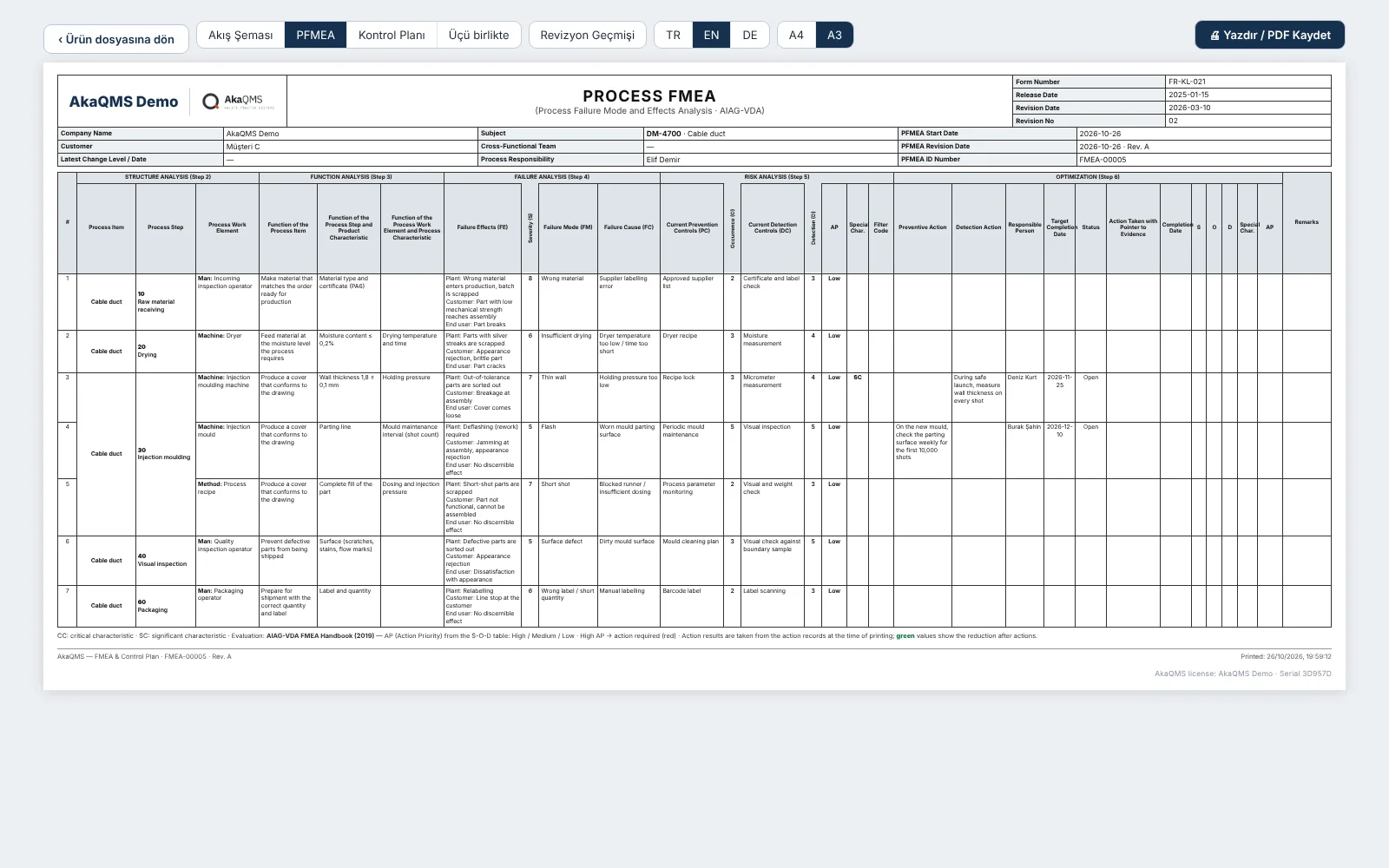
- AIAG-VDA layoutRows follow the AIAG-VDA steps: 4M work element (Man, Machine, Material, Method, Environment, Measurement), functions, a three-level failure effect (Plant / Customer / End user), prevention and detection controls, filter code and remarks. "Machine" elements go into the Control Plan's machine column and the flow diagram automatically.
- New product fileType the part number and tick the processes in the order they are done; numbers (10, 20, 30…) are assigned automatically. A summary shows how many PFMEA rows, Control Plan characteristics and flow steps will be created. Values are entered now or later; "fill from a similar part" brings the values of a sibling part. A file with empty fields cannot be sent for approval.
- Fill it like ExcelFoundation FMEA, families and the product file are edited in an Excel-like grid: type into cells, move with the keyboard, copy and paste from Excel, fill down with Ctrl+D and the fill handle, undo / redo. Checked before saving and recorded as one revision.
- The source of every row is visibleA thin line on the left of the row shows its source: gray for Foundation FMEA, blue for family, orange for part-specific. When a Foundation row is changed in a part, you choose: write it to the Foundation FMEA so it spreads to all parts, or keep it in this part only ("local"). A row that does not apply is excluded with a reason.
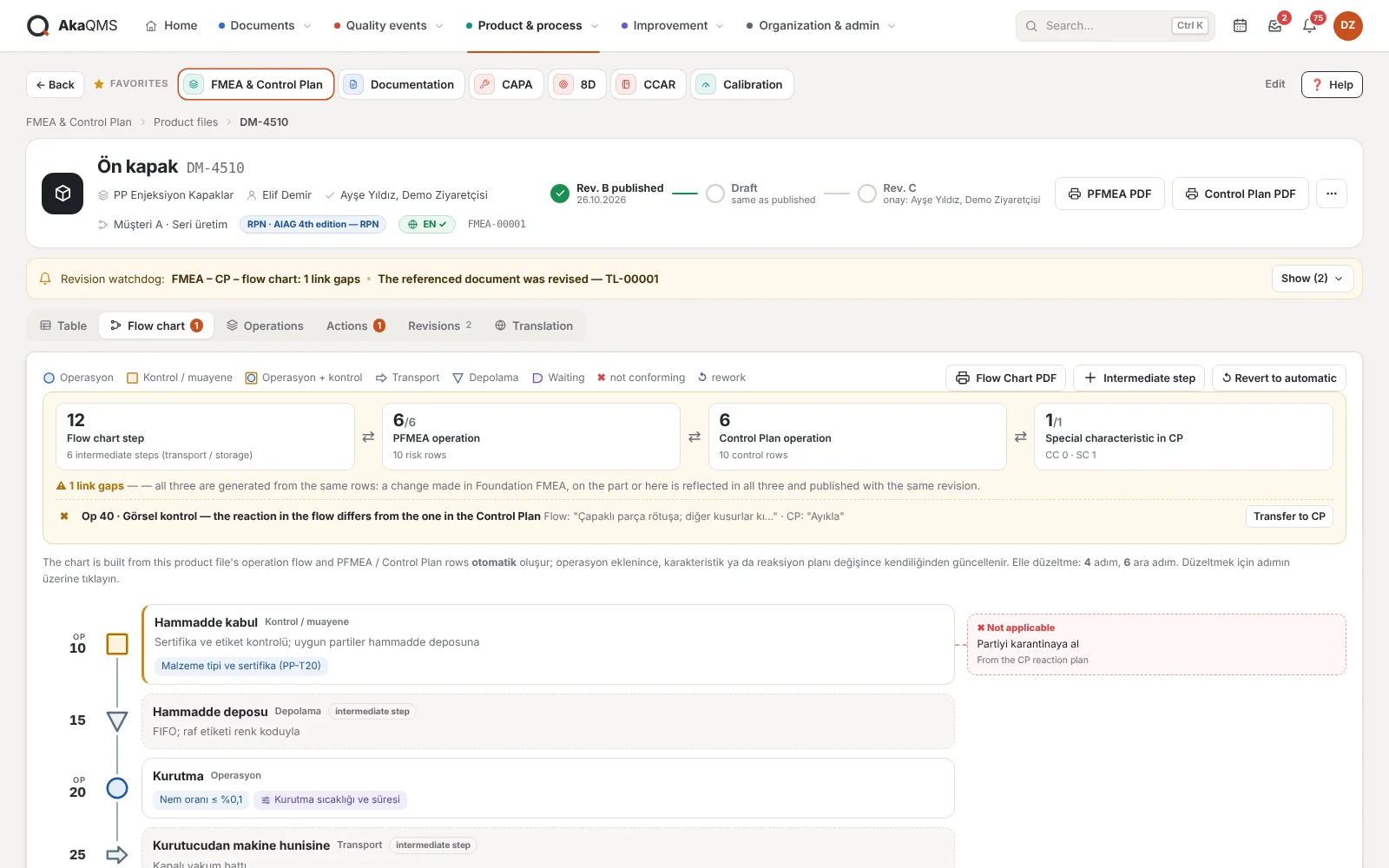
- Process flow diagramDrawn automatically from the operation flow and the PFMEA / Control Plan rows: product and process characteristics of each step, CC/SC marks, the "if not OK" reaction at inspection steps. Symbols, notes, rework loops and intermediate steps such as storage, transport and waiting are added by hand; the diagram updates when an operation or row changes.
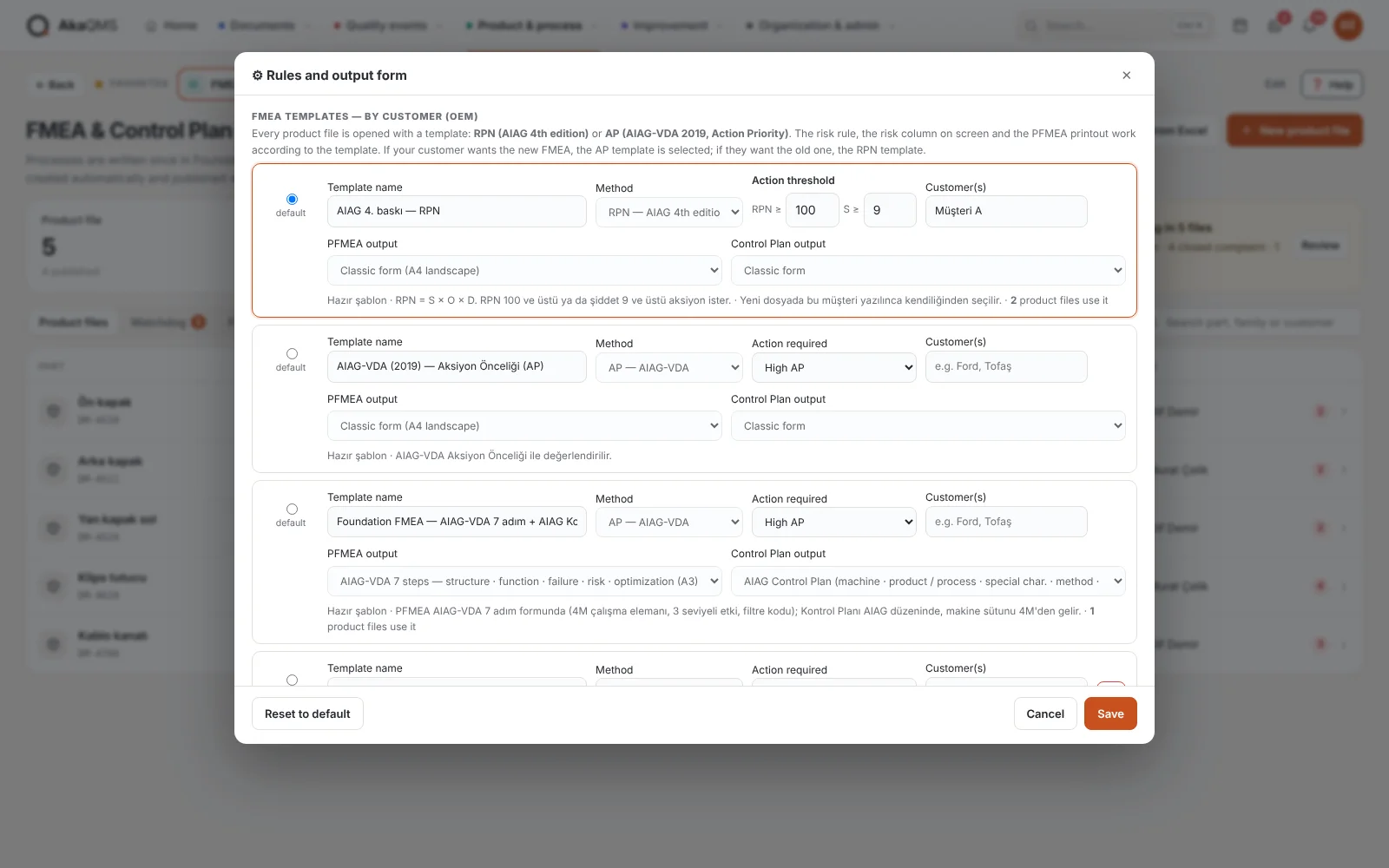
- Template per customerA product file opens with a template: AIAG 4th edition with RPN, AIAG-VDA Action Priority (AP) or Foundation FMEA (PFMEA in the AIAG-VDA 7-step form, Control Plan in the AIAG layout). If a customer name is written on the template, it is selected automatically for that customer's new files. The risk rule, the risk column on screen and the output form follow the template; thresholds and conditions such as "action at Medium AP too" are kept in the template.
- Clean product fileRevision status line at the top (released → draft → approval) and one main button. Operations fold; risky and changed operations open by default. PFMEA + CP, PFMEA only or CP only views, a "risky only" filter and row search.
- Module home pageCounts of product files, drafts with changes, files in approval and risky rows; watchdog summary; filters including "Mine". A fill bar on every file shows how much of the values to be filled has been entered.
- Part-specific operationWork done for one part only (e.g. laser marking) is added to that part's flow without cluttering the Foundation FMEA; it takes its place by its number.
- Changes spreadBefore a Foundation FMEA or family row is saved (including "write to Foundation FMEA" from a part), the affected product files are shown. Each file's draft is updated; the released document does not change until approval.
- One revisionFlow diagram, PFMEA and Control Plan are released together (Rev. A, B, C…). The revision note is written automatically from the differences; old revisions are kept frozen, with the method of their day (RPN / AP).
- Approver chosen in the fileEach product file has its own approvers; they are preselected when sending for approval and get the approval notification.
- Revision watchdogDepending on the template, requires action above the RPN or severity threshold (default 100 and 9) or for High AP; collects overdue actions, re-rating after a closed action, revisions of referenced documents, the part's 8D/CAPA closure and periodic review in one list.
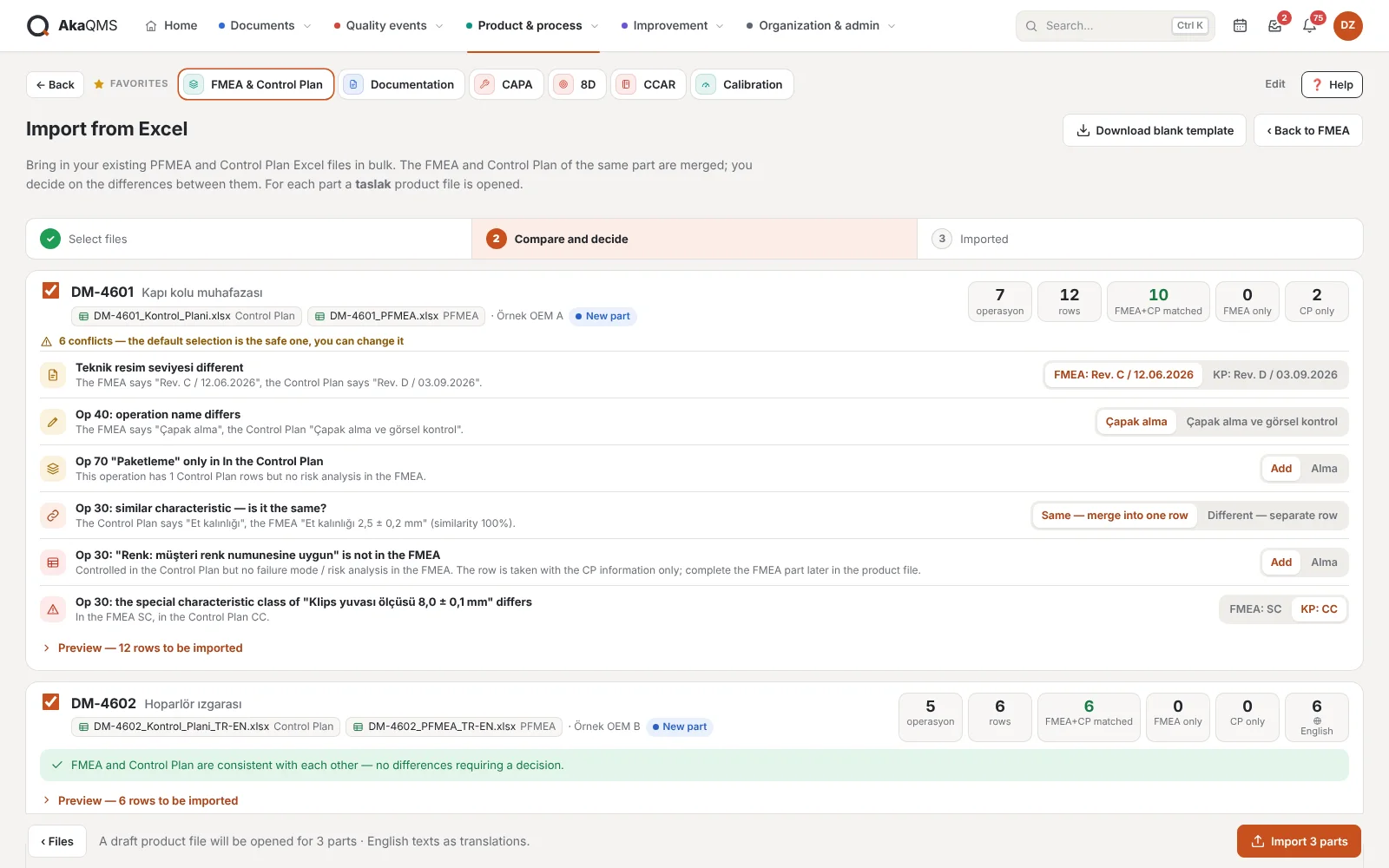
- Import from ExcelExisting PFMEA and Control Plan Excel files are uploaded in bulk; columns are recognized by their header text. A part's FMEA and Control Plan are matched row by row, and the differences between them (operation name, characteristic present in only one, CC/SC difference, drawing level) go to a decision list; a draft product file opens for each part.
- Link checkSpecial characteristics without a control method, steps without PFMEA rows and inspection steps with an empty reaction are listed; the "if not OK" written in the flow goes into the Control Plan's reaction plan.
- English and GermanTexts are translated once in the Translation tab (no machine translation); text whose Turkish source changes is flagged "needs update". A Foundation FMEA text's translation applies to every part.
- OutputFlow Diagram, PFMEA and Control Plan; separately or all three together, in English, German or Turkish. With the Foundation FMEA template, the PFMEA prints in the AIAG-VDA 7-step form (A3) and the Control Plan in the AIAG layout, with Safe Launch among the phases. The revision history is a separate page (rows added, removed and changed in each revision, preparer and approver). Ratings lowered by an action are shown in green; an action is opened as a prevention or a detection action. CSV for PFMEA and CP that opens in Excel; the Control Plan also as an Excel file (.xlsx) in the AIAG layout.
- ListsRevision history list (all parts' revisions over a date range) and family – part list; Excel or printable A4.
- On the operator screenWhen the operator types the part number, the released Control Plan, PFMEA and flow diagram open as PDF; drafts never reach the shop floor.
Coming soonApproved revision filed automatically as PDF and Excel in the part's Product Documents · output in customer-specific formats.
FMEA software: detailed page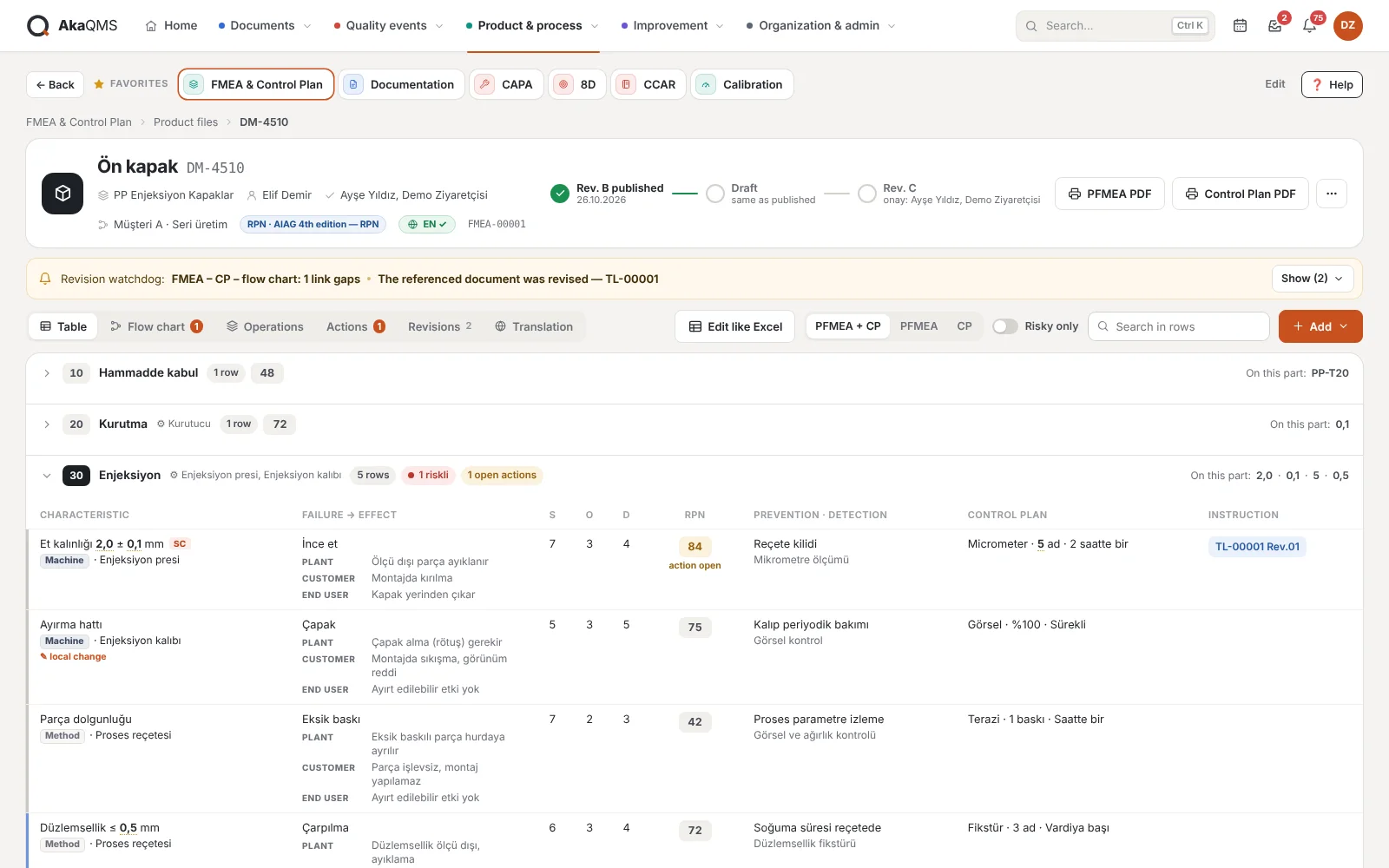
MSA Plan
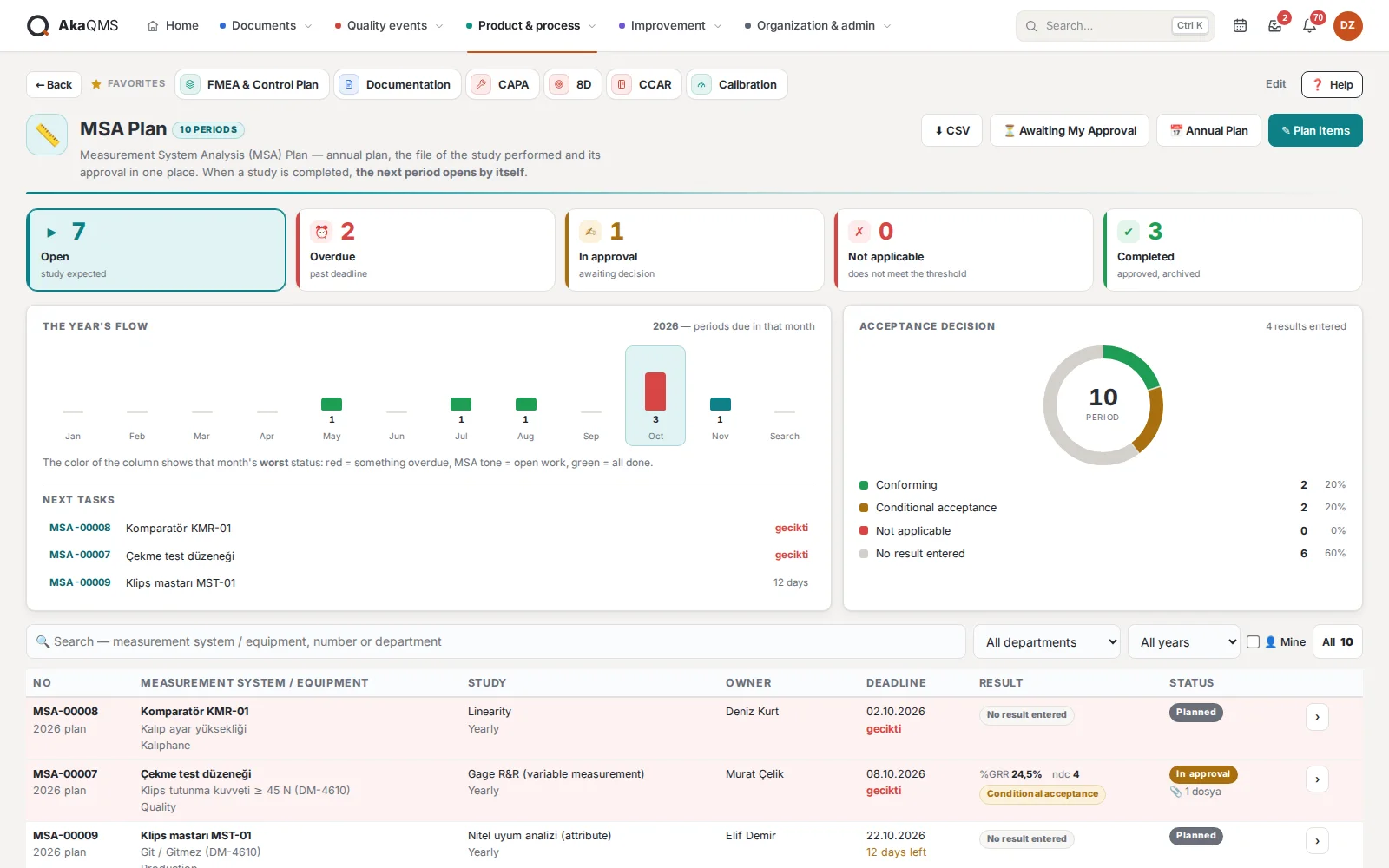
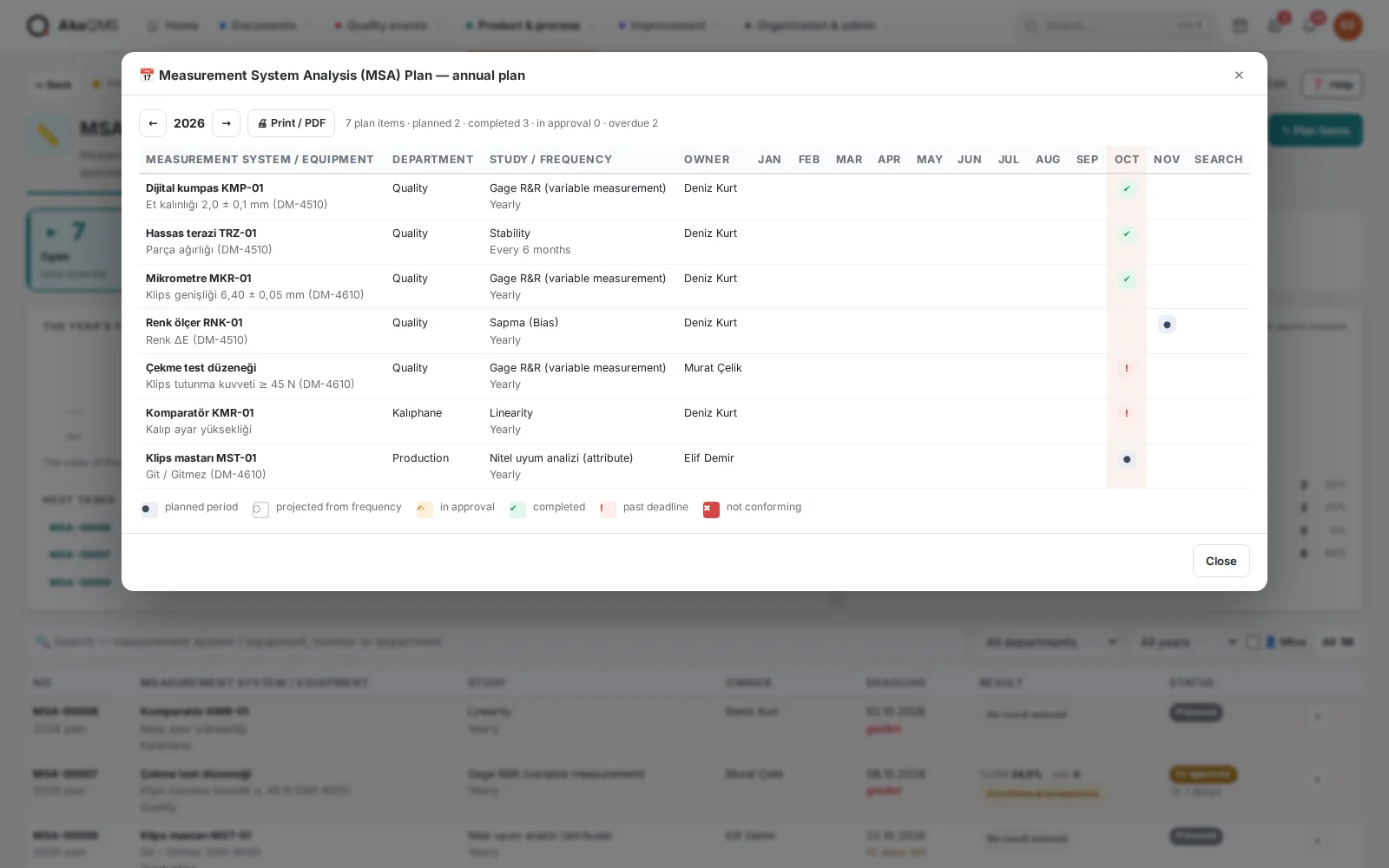
Annual measurement system analysis plan. Study file, result figures, acceptance decision and approval in the same record; the next period of an approved study opens automatically.
- Annual planMeasurement system and characteristic, study type (Gage R&R, attribute agreement, bias, linearity, stability), frequency, first due date, owner and approvers.
- The system decides%GRR ≤ 10 acceptable · 10–30 conditional · above 30 not acceptable; if ndc is below 5 the decision drops one level. If a customer sets different requirements, the thresholds can be changed.
- Approval workflowApproval requires two things together: approval rights in the role and being assigned to the record. Rejection requires a reason; the owner is notified.
- DashboardOpen, overdue, in approval, not acceptable and completed counts; the year's flow and the distribution of acceptance decisions. Due dates appear in the Quality Calendar.
- Annual plan gridPlan item × month: completed, not acceptable, in approval, overdue, planned and periods projected from the frequency, each with its own mark. Landscape A4 printout with logo and signature boxes for audits.
SPC Plan
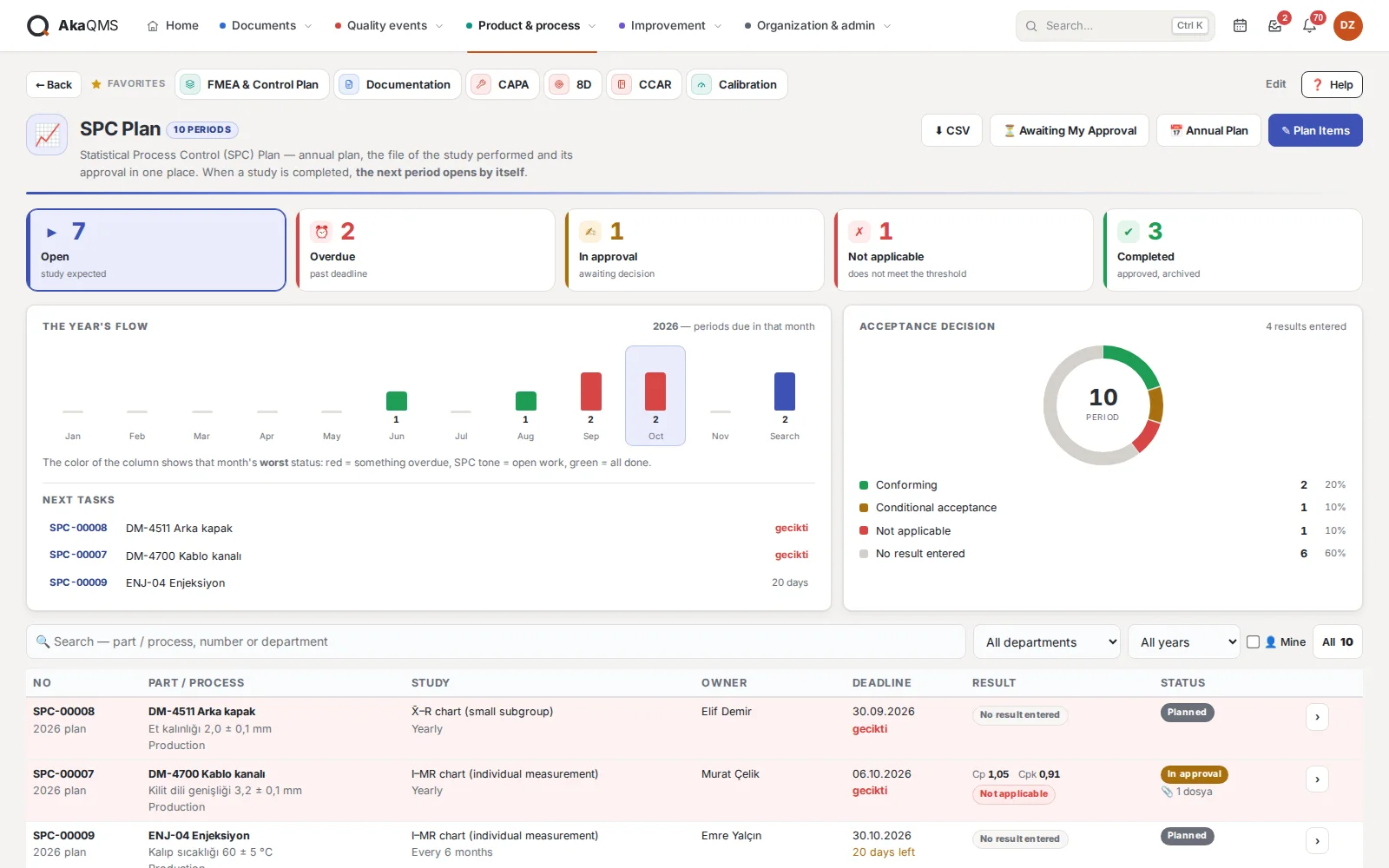
Process capability plan. Works the same way as MSA: plan row, period, file, result, the system decides, and the next period opens once approved.
- Chart typesX̄–R, X̄–s, I–MR, p/np, c/u chart studies; per part or process and characteristic.
- DecisionCpk ≥ 1.33 acceptable · 1.00–1.33 conditional · below 1.00 not acceptable. If the gap between Cp and Cpk is 0.3 or more, a "process not centered" warning.
- Overdue work in redNext tasks, "mine" and "awaiting my approval" filters; all periods as CSV.
- Annual plan gridThe same plan item × month grid as in MSA and a printable landscape A4 plan.
Calibration & Verification
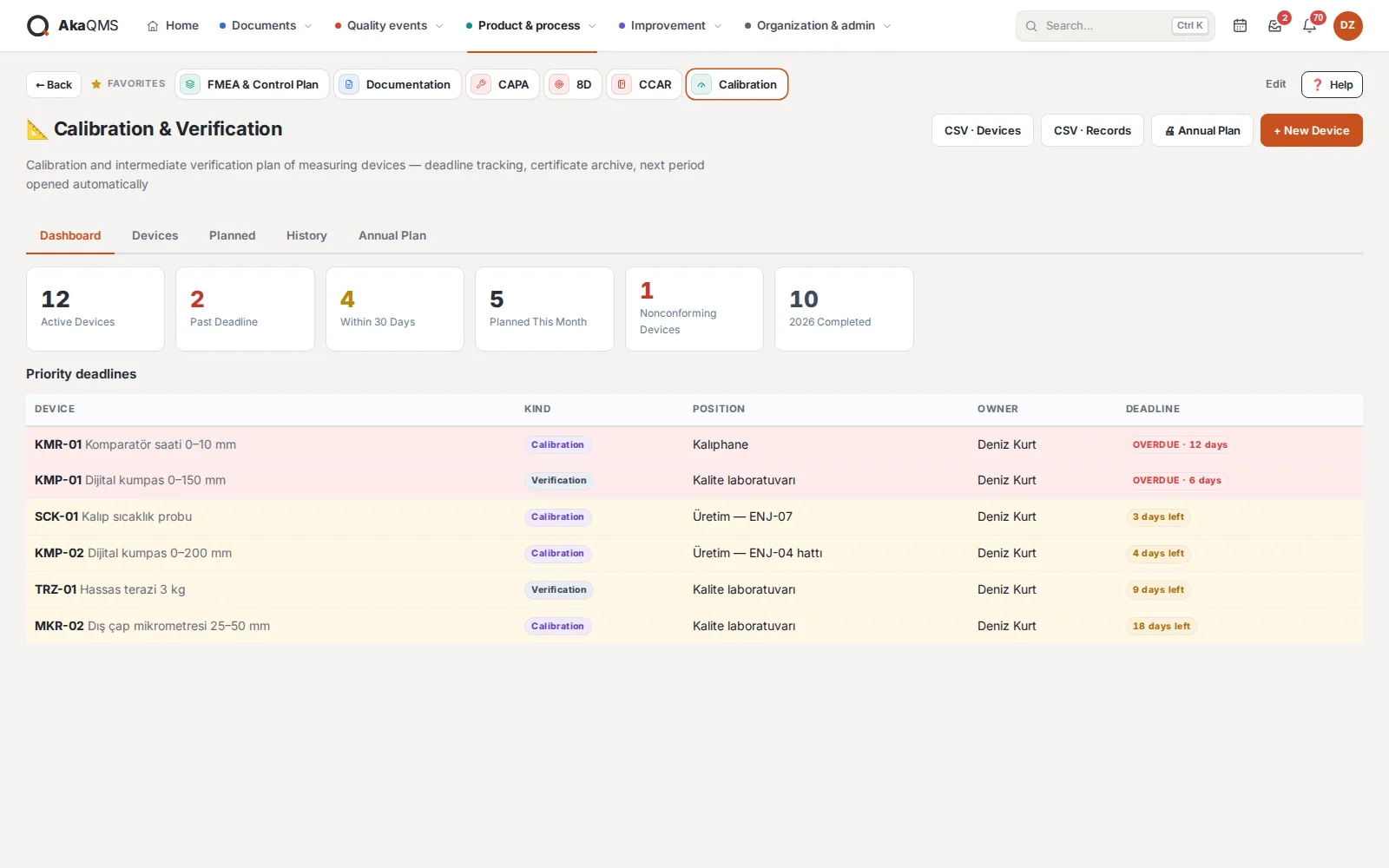
Define the instrument once; the system carries the due date, the reminder and the annual plan. Calibration and intermediate verification intervals are kept separately; each completed period opens the next one.
- Instrument cardCode (CHZ-0001), type, serial number, measuring range, resolution, acceptance criterion, location, owner, internal or external laboratory.
- CompleteDate, result (acceptable / conditionally acceptable / not acceptable), certificate number and laboratory; the certificate PDF is attached to the record.
- 30 days, 7 days, overdueNotification to the owner and authorized users, and e-mail if configured. A non-conforming instrument is flagged with a red warning.
- Annual planInstrument × month matrix (K calibration, D verification) and a landscape A4 printout with logo for audits; inventory and history as CSV.
Documentation
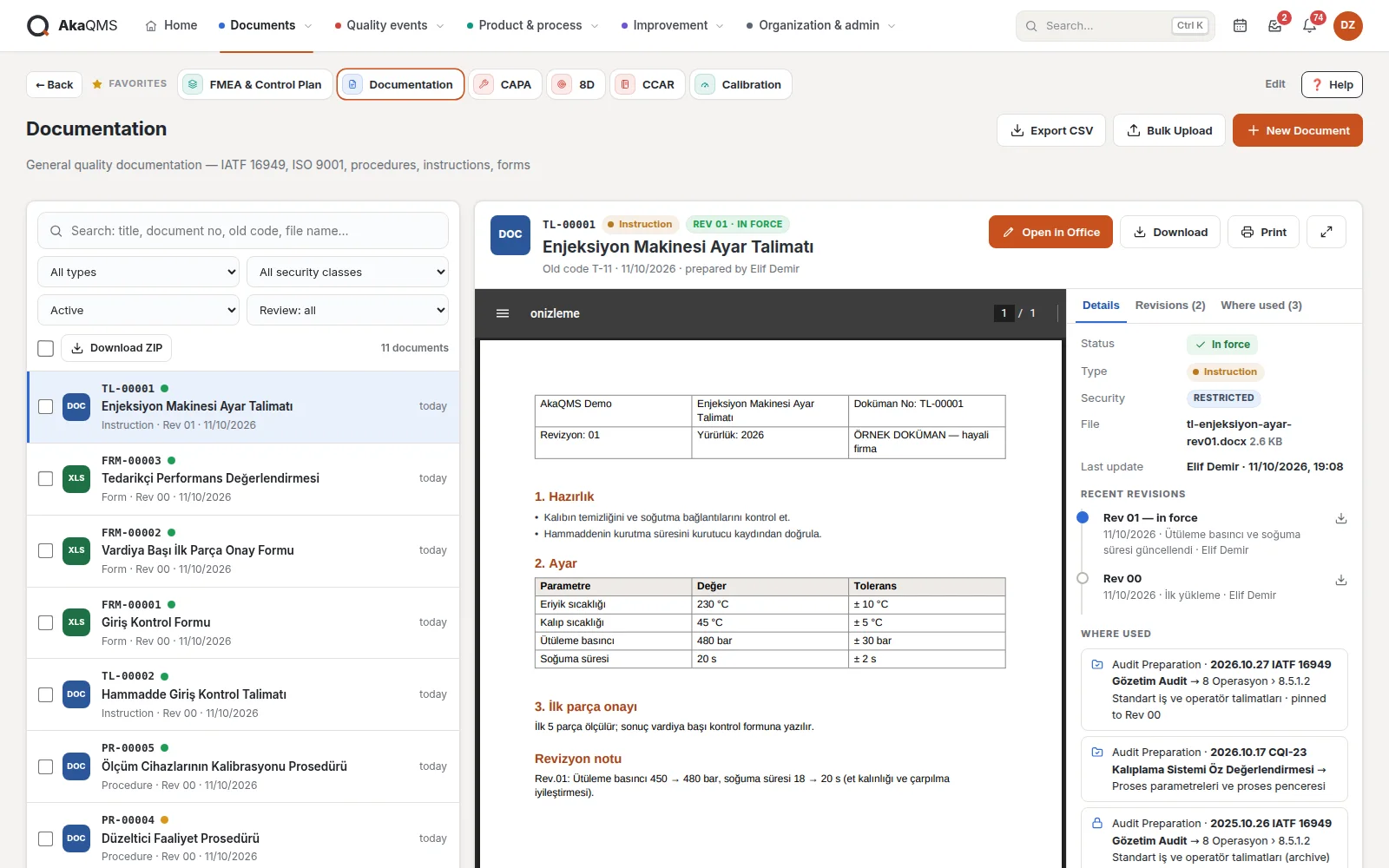
Procedures, work instructions, forms and manuals in one list, with type and information security class. No maze of folders; search and filters instead.
- Numbers come from the systemEach document type runs in its own series; no manual numbering, no clashes.
- Look without openingThe first page of the document selected in the list appears in the right-hand panel without leaving the page; Word and Excel files are converted to PDF on the server with free LibreOffice. Revisions are in the same panel; move between documents with the ↑ ↓ keys.
- Revision and approvalA new revision of a type that requires approval goes to approval; nobody can approve their own revision. The approver sees the file in the browser before approving.
- Editing without changing habitsEdit Excel in Excel and Word in Word; who saved what and when is tracked, old revisions stay in the archive.
- Confidentiality and reviewPublic / Internal / Confidential classes, and access limited to selected people if needed. A document with an owner and review interval is reminded when it is due.
- Controlled copyPrinted copies get a label with a QR code; scanning it shows whether the copy is still current.
- Which audit uses it?"Where used" in the panel shows the audit files the document sits in; the document details add it to an audit file.
Product Documents and Part File
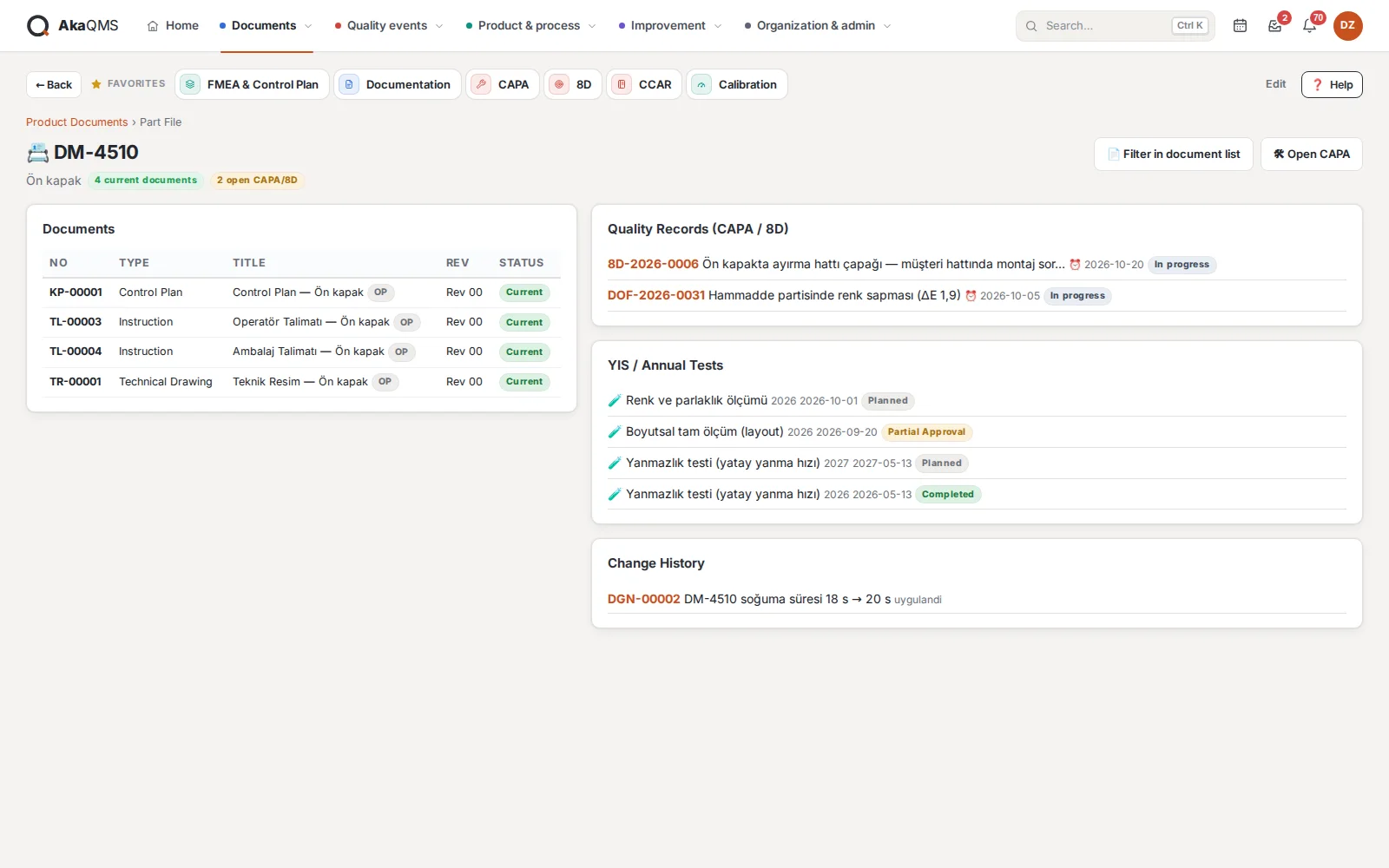
Documents linked to part numbers: FMEA, control plan, technical drawing, work instruction. A document is uploaded once; whether the operator can see it is decided by a single mark. The list has the same preview-panel layout as Documentation.
- Part numbers from a registered listThe document is linked to the right part; part numbers come in by hand, by CSV or through optional integration.
- "Visible to operator" in one clickWith the box in the right-hand panel, by bulk selection in the list or while uploading. A revised document becomes current on the shop floor at the same moment.
- Part FileThe part's documents, CAPA and 8D records, change requests and periodic tests on one page.
- Bulk downloadSelected documents in one ZIP; file names carry the document number and revision.
Operator Screen
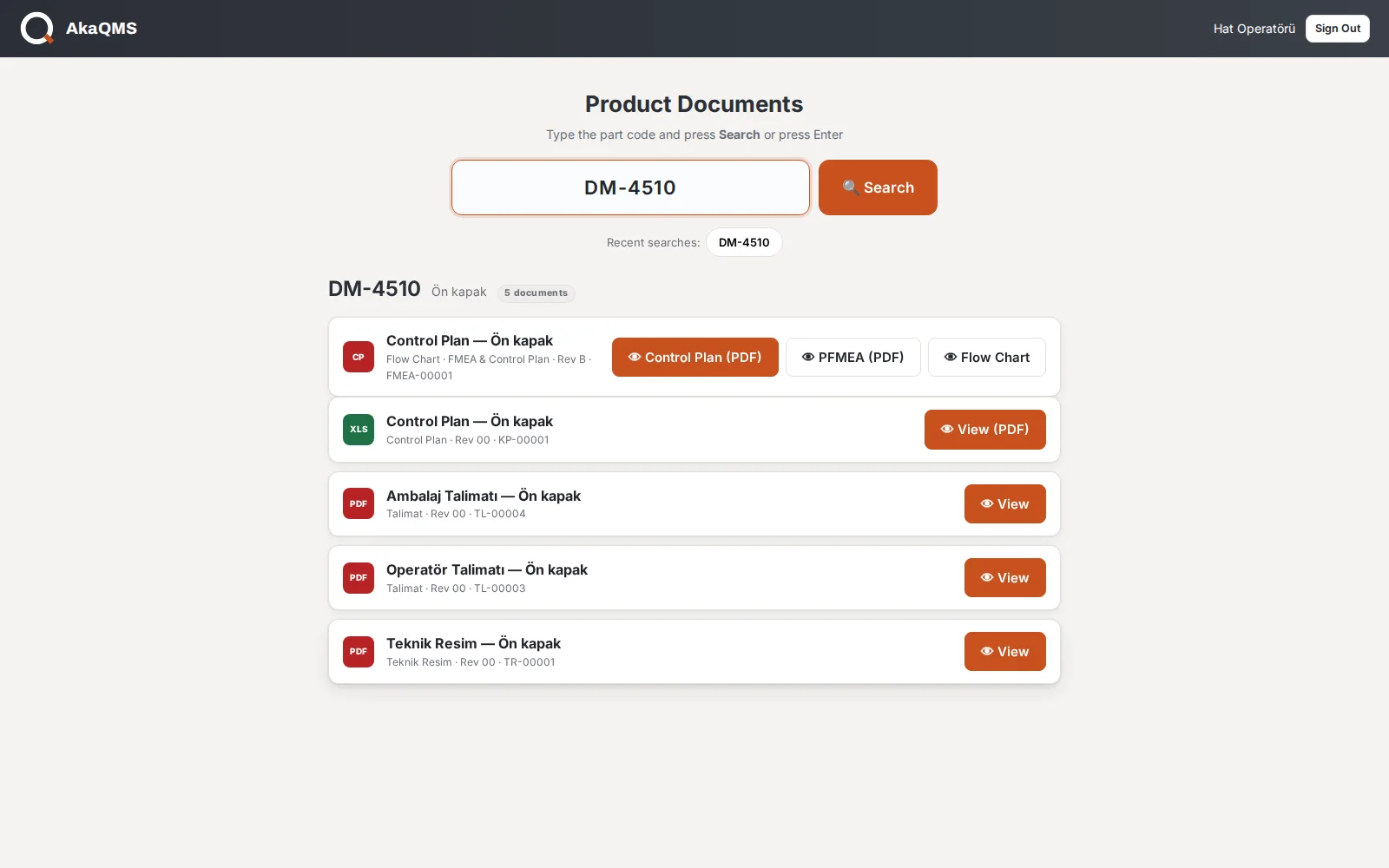
The operator on the shop floor types the part number and sees the current documents open to them on large cards. No menu, just one box.
- No Office on the production PCExcel, Word and PowerPoint files are converted to PDF on the server and shown in the browser; all sheets of a multi-sheet Excel file are visible.
- View onlyThe operator cannot download or edit; no old printouts left at the line.
- Control Plan, PFMEA, flow diagramThe Control Plan, PFMEA and process flow diagram released in the FMEA module are listed as PDF together with the part's documents.
- Recently searched numbersReturn to the same parts with one tap throughout the shift.
NoteFor PDF conversion, the free LibreOffice is installed on the server. Without it, PDFs and images still open and Office files show an explanatory notice.
CAPA
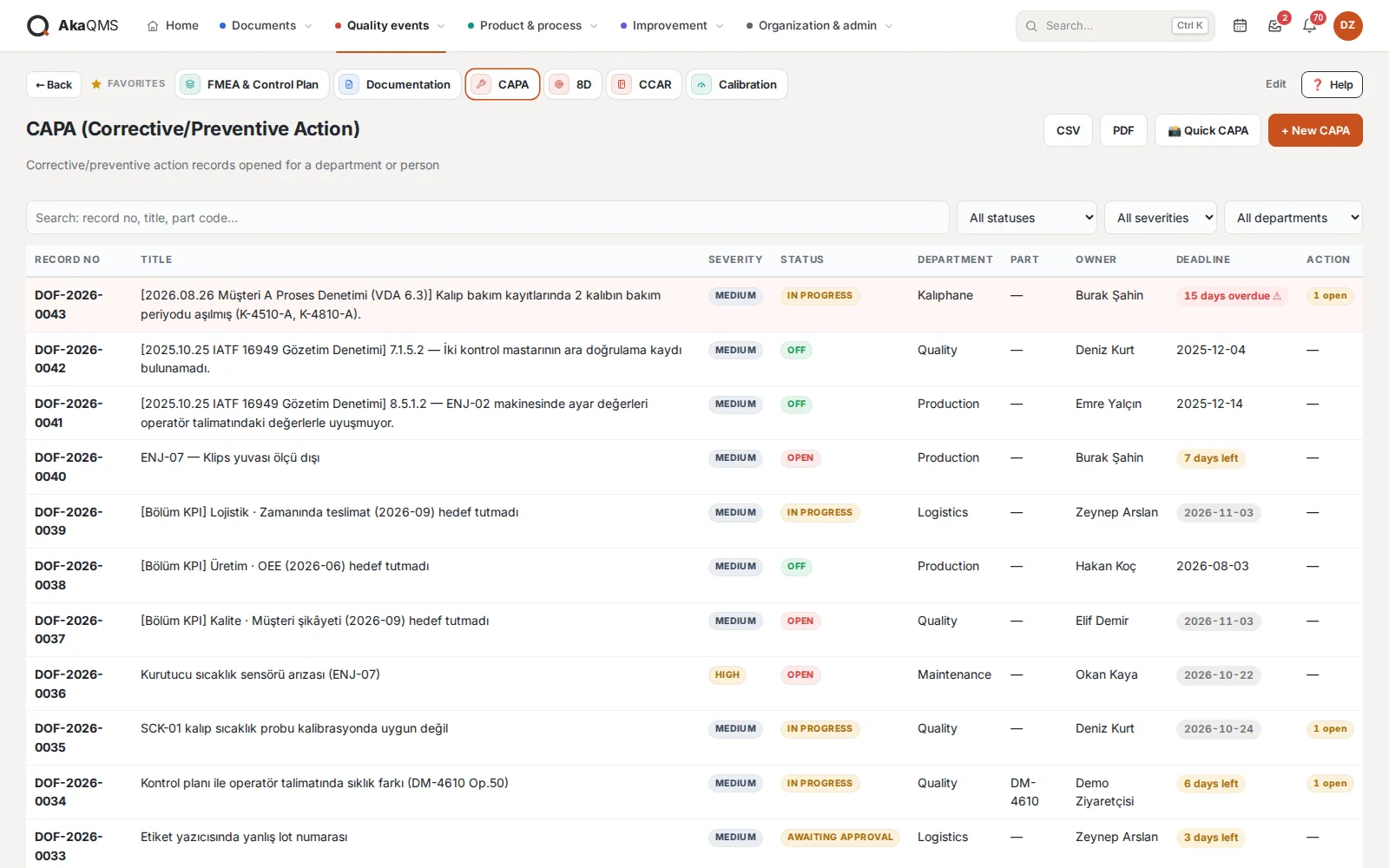
A light, fast workflow for everyday corrective and preventive actions.
- Four stepsDefinition → Root Cause → Action → Verification; actions with deadlines and owners.
- Closing disciplineCannot be closed while an action is open; closing approval lies with an authorized manager.
- To a department or a personEveryone in the department is informed of a CAPA opened to it; deadlines appear in the Quality Calendar.
- ReportPrintable CAPA form; list as CSV or PDF.
8D
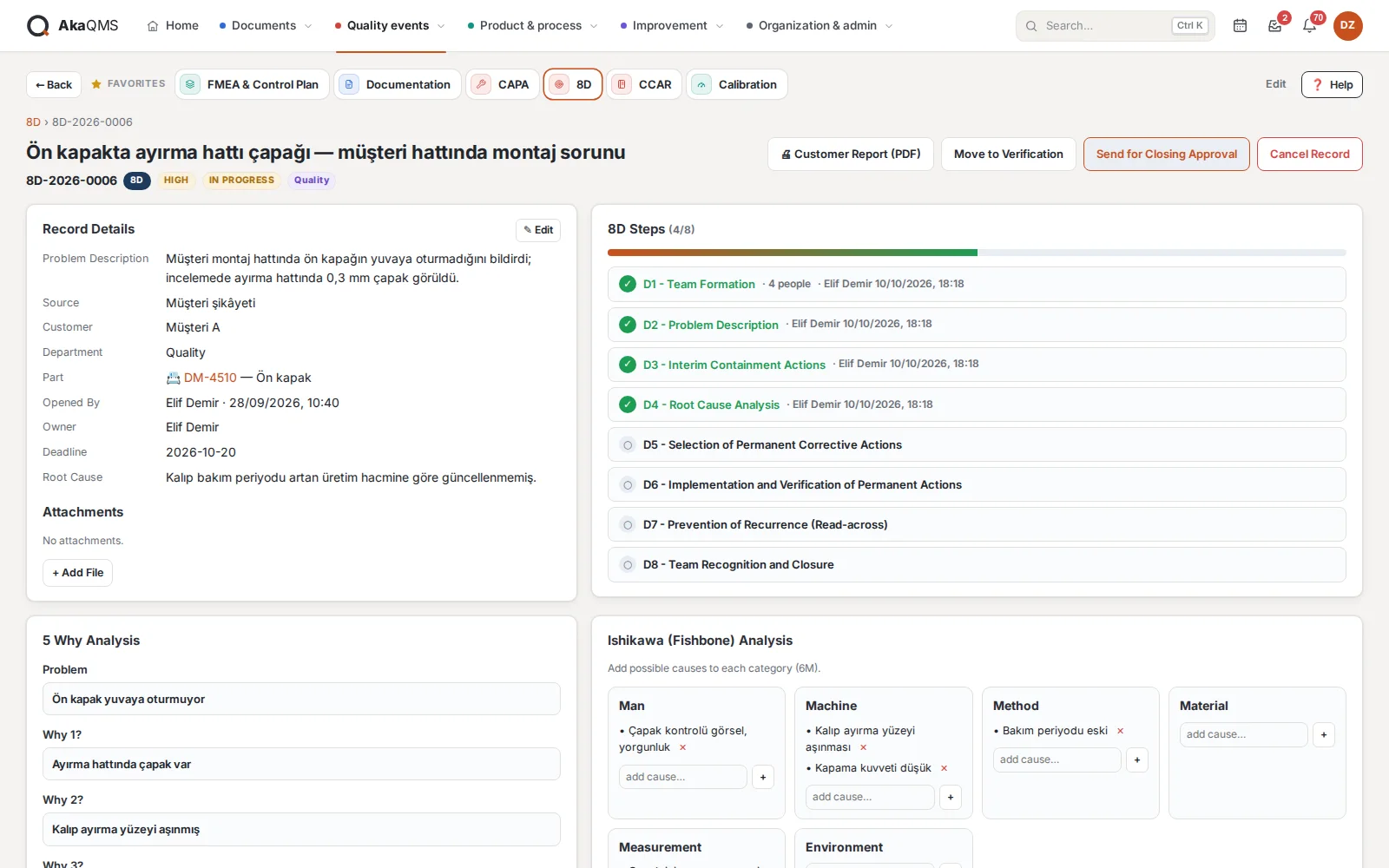
Full discipline for customer complaints and chronic problems: team, root cause analysis and a report ready for the customer.
- D1–D8 and teamThe team is set up in step D1: champion, leader and team members are chosen from registered accounts; everyone added to the team is notified.
- 5 Whys and IshikawaProblem, five why rows and root cause; fishbone diagram with 6M categories.
- Customer reportOne-page PDF with your logo, laid out to send directly to the customer.
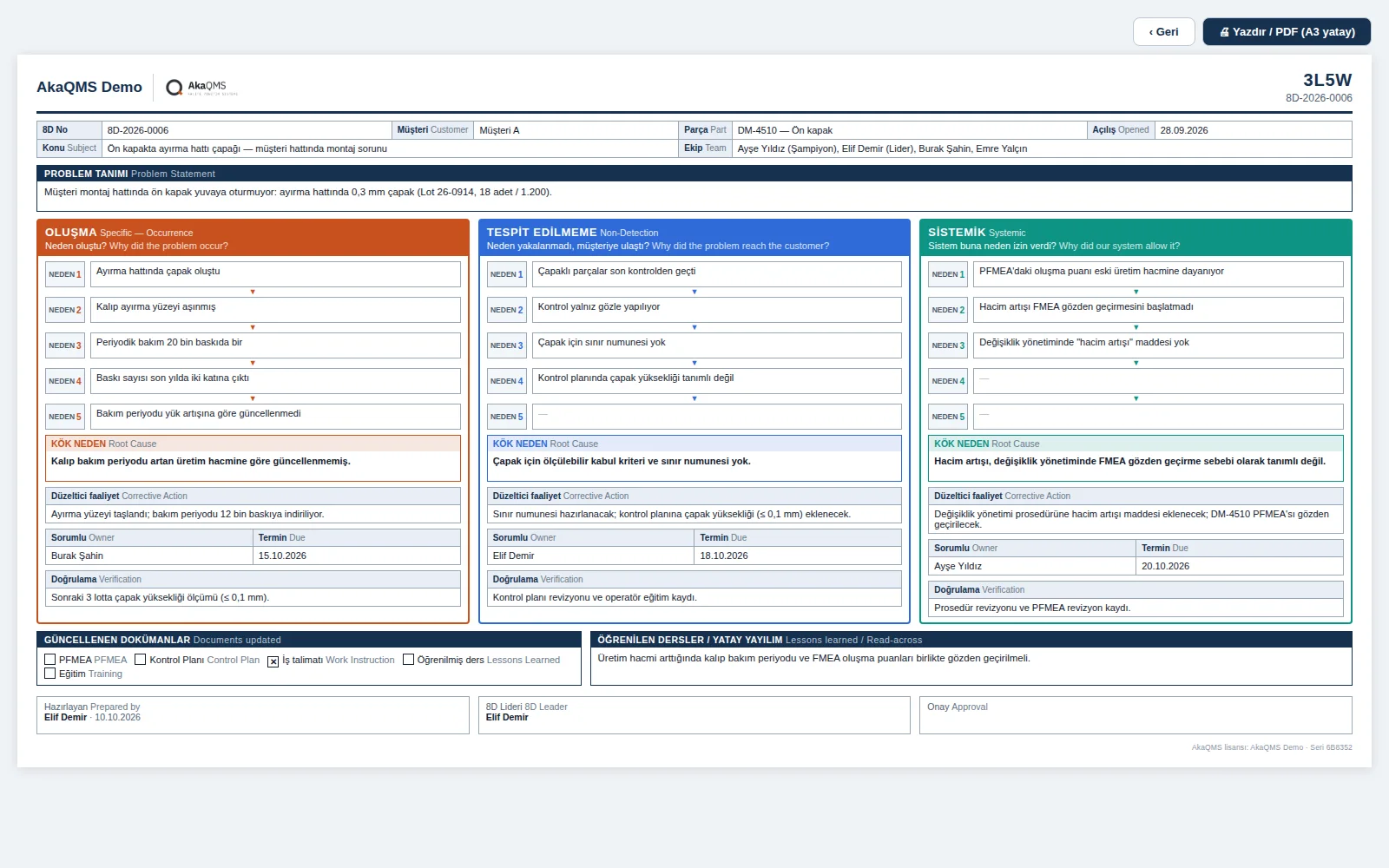
- 3L5W (optional)Ford's 3L5W A3 layout: five "Why?" in each of the occurrence, non-detection and systemic legs, with each leg's root cause, corrective action, owner, due date and verification; documents updated and lessons learned. A3 landscape output.
- Opens automaticallyA minor/major finding in an internal audit opens an 8D; source, department and audit clause are filled in automatically.
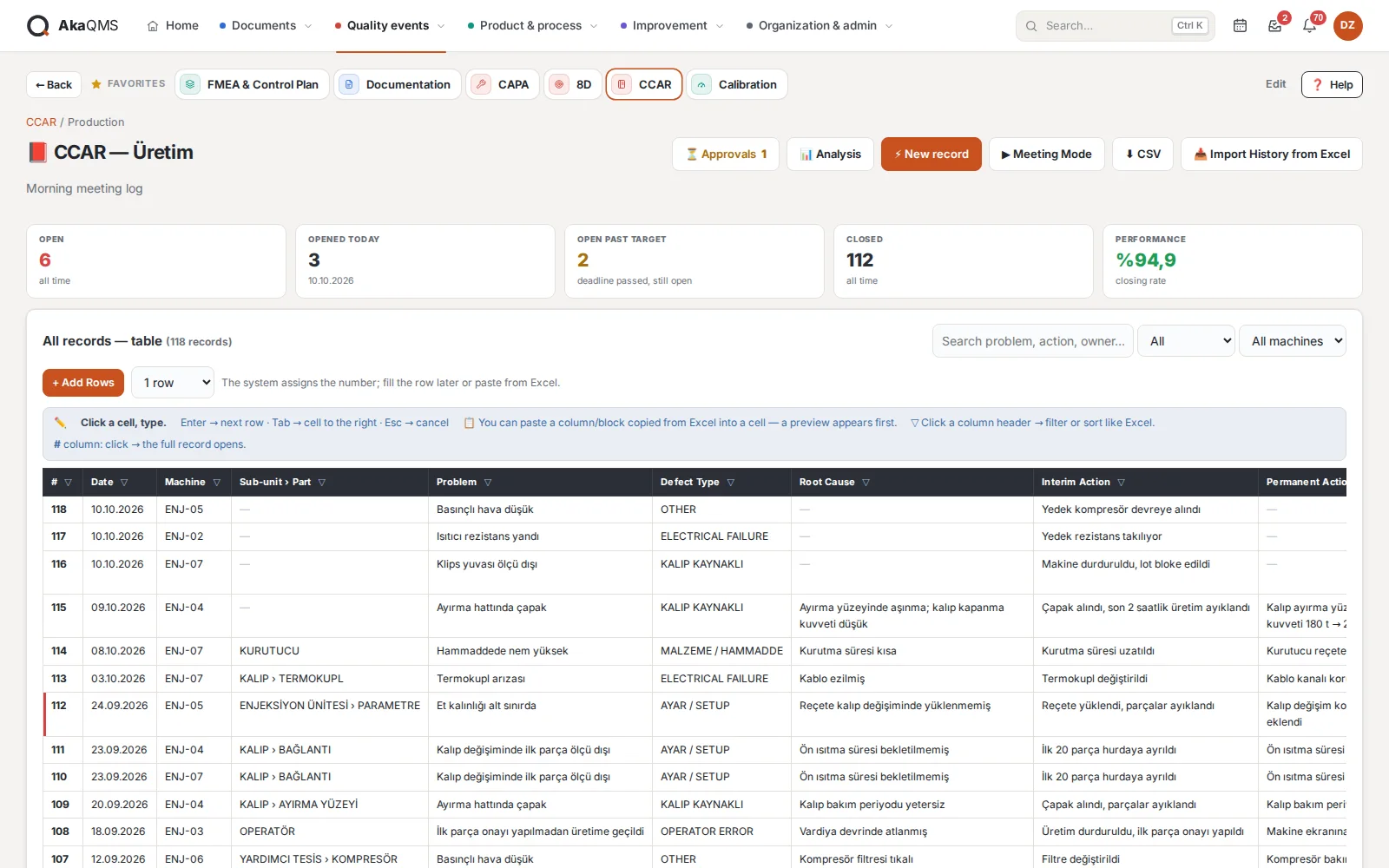
CCAR · Morning meeting log
Each department's day-by-day log of problems and actions. It replaces the Excel file production has kept for years but feels like Excel: click a cell, type, paste.
- Counters and Meeting ModeOpen, opened today, past target, closed and closing rate always at the top. Meeting Mode hides the menu and enlarges the text.
- A table like ExcelEnter goes down, Tab goes right; paste a column or block from Excel, preview first, then save. Column filters and sorting.
- Analysis drawn automaticallyMachine Pareto, machine × month heat map, machine card and problems recurring in the last 90 days.
- Action approvalThe manager assigns an approver to each department; permanent actions and closing go directly to that person.
- Customer complaints logA separate log type focused on customer, product and 8D; the product is chosen from registered part numbers, and repeat complaints from the same customer are listed separately.
- CAPA in one clickA recurring problem is turned from the record into a CAPA.
Audit
Internal audit from the annual program to the report. Questions sit in the library with clause references; on audit day, all that is left is to mark them.
- Question libraryAudit types (system, process, product, 5S…) and clause-referenced questions; bulk import by CSV.
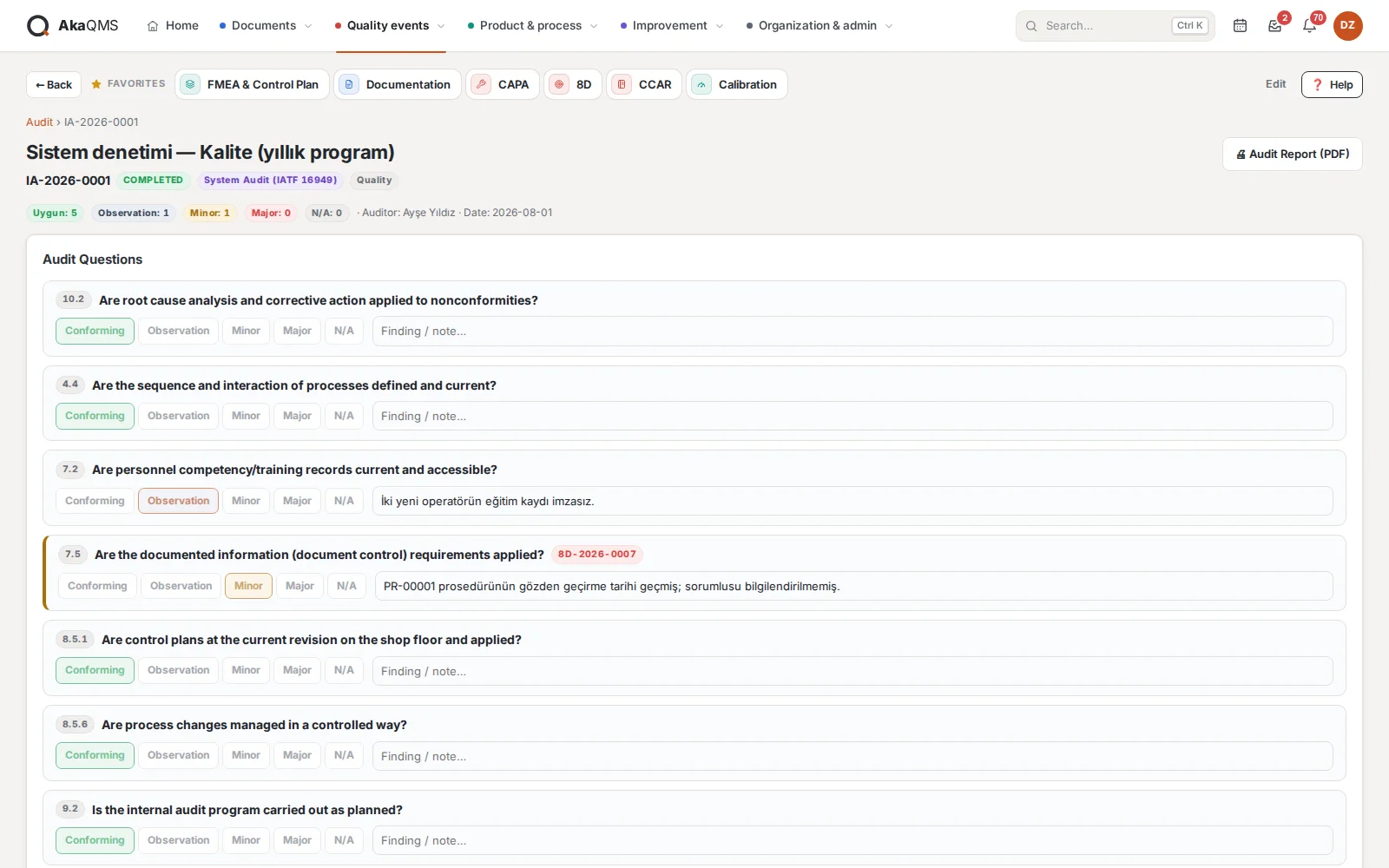
- ConductConforming / observation / minor / major / N.A. and a finding note for each question; results are saved instantly, and audits run on a tablet on the shop floor.
- From finding to 8DWhen an internal audit is completed, an 8D is opened for minor and major findings and linked to the audit clause.
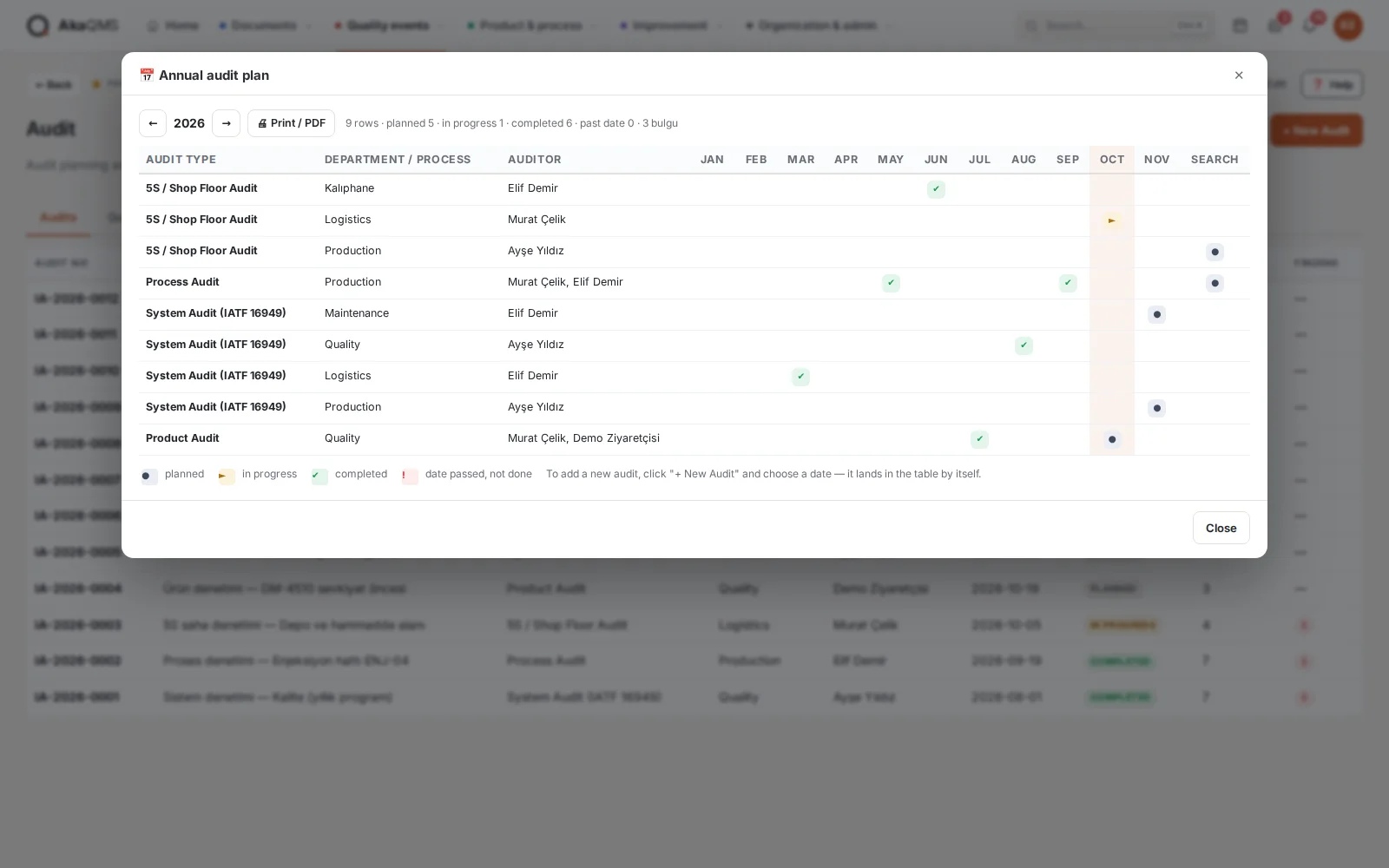
- Annual audit programAudit type × department × month grid: planned, in progress, completed and overdue audits; printed as a landscape A4 program and a detailed month-by-month list.
- ReportInternal audit report with logo and signature fields. External audits by customers and certification bodies are prepared in Audit Preparation.
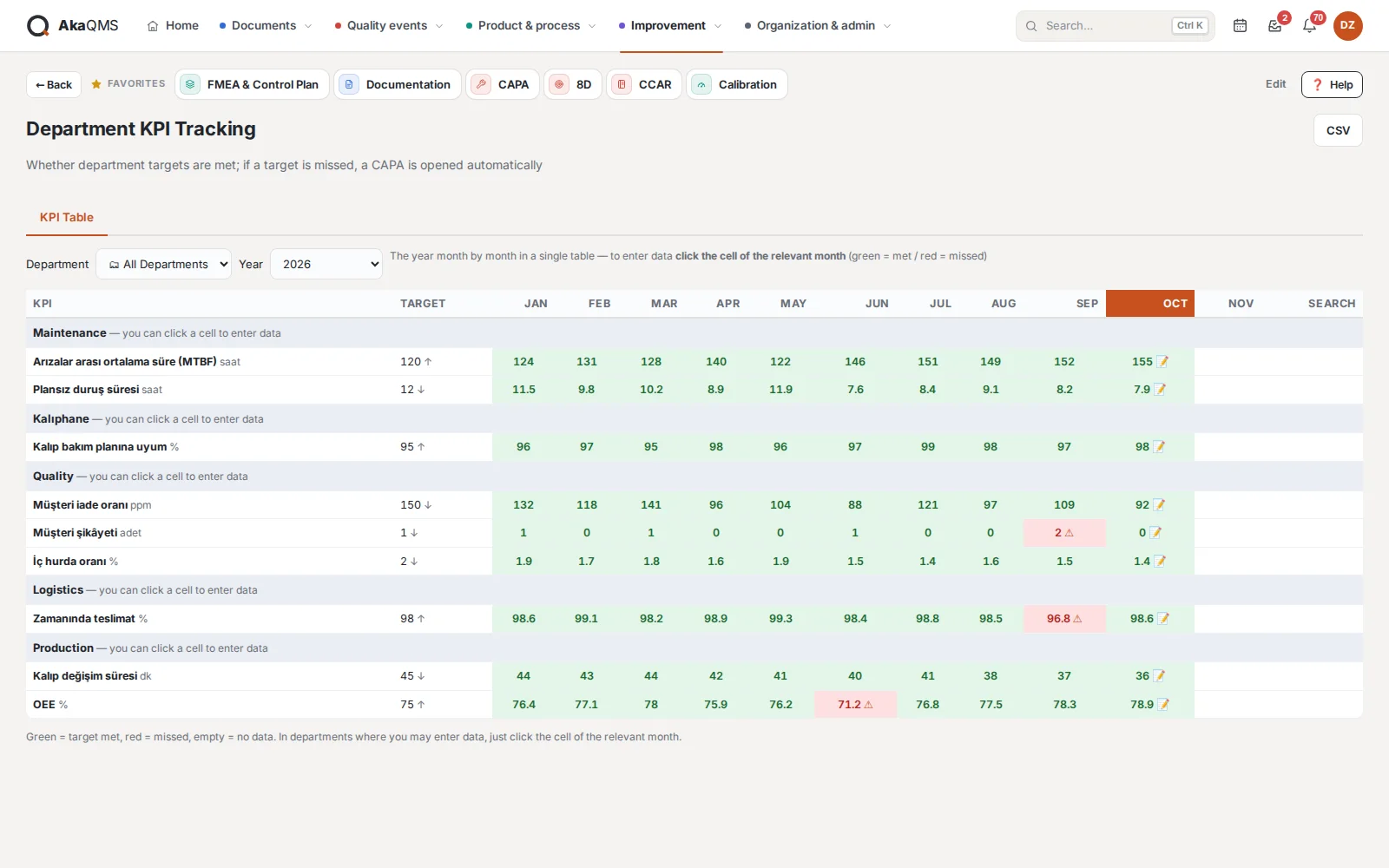
Department KPI
Department targets are tracked month by month; a missed target opens a CAPA automatically.
- Target and actualKPI name, unit, direction (higher is better / lower is better), target and owner. Met in green, missed in red.
- CAPA on deviationA CAPA opens the moment a deviation is recorded; the ⚠ mark in the table leads to the record.
- Who sees whatEveryone sees their own department; managers see all departments in one annual table.
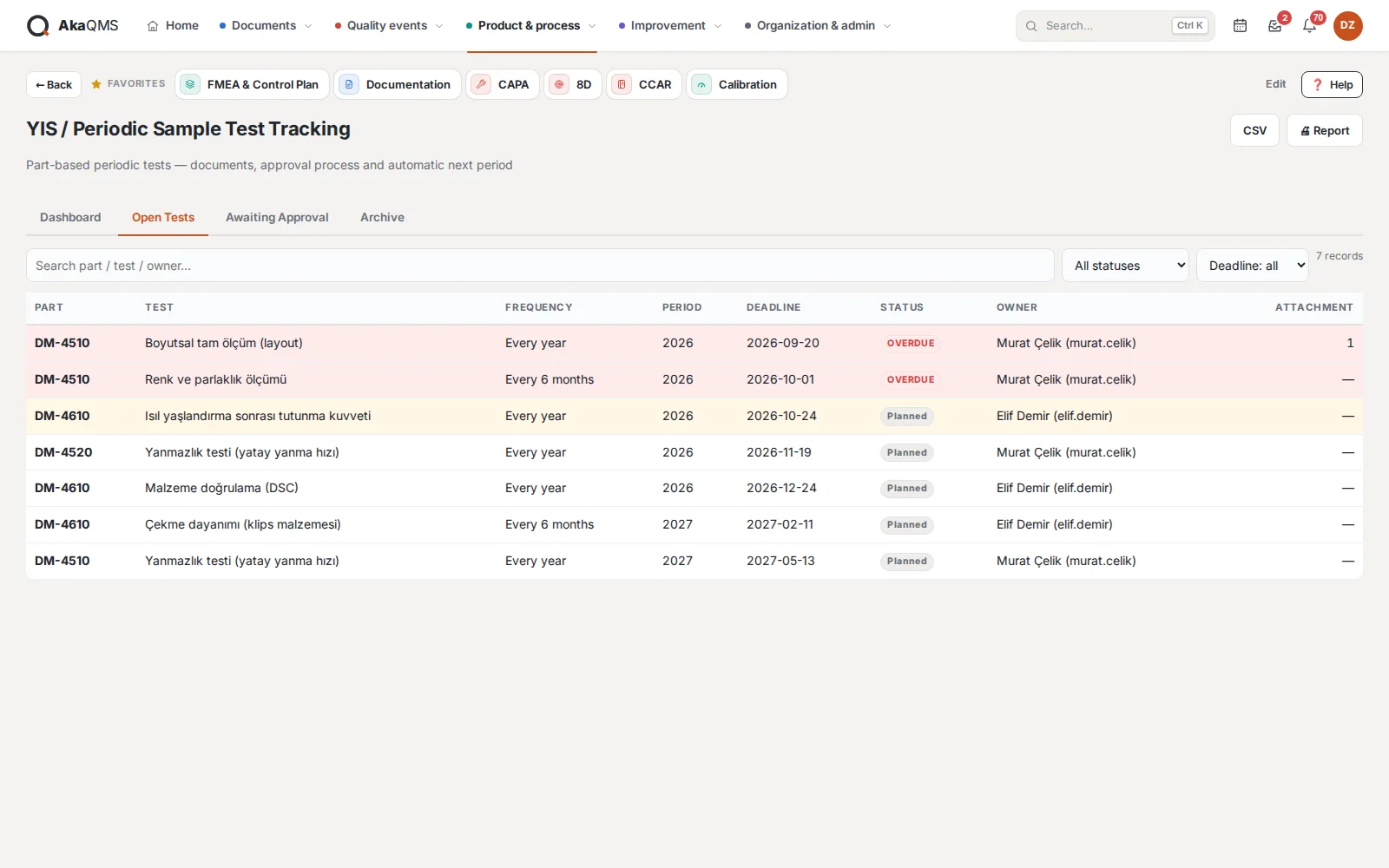
YIS · Periodic sample tests
Part-based periodic tests required by the customer, with due dates, approval and archive.
- Part-based testsAnnually, every two or three years; first due date and owner are defined.
- Multi-approval workflowThe test report is uploaded and sent for approval; approvers see only what falls to them.
- Next period automaticallyWhen completed, the next period opens; the archive is never deleted, overdue in red, upcoming in yellow.
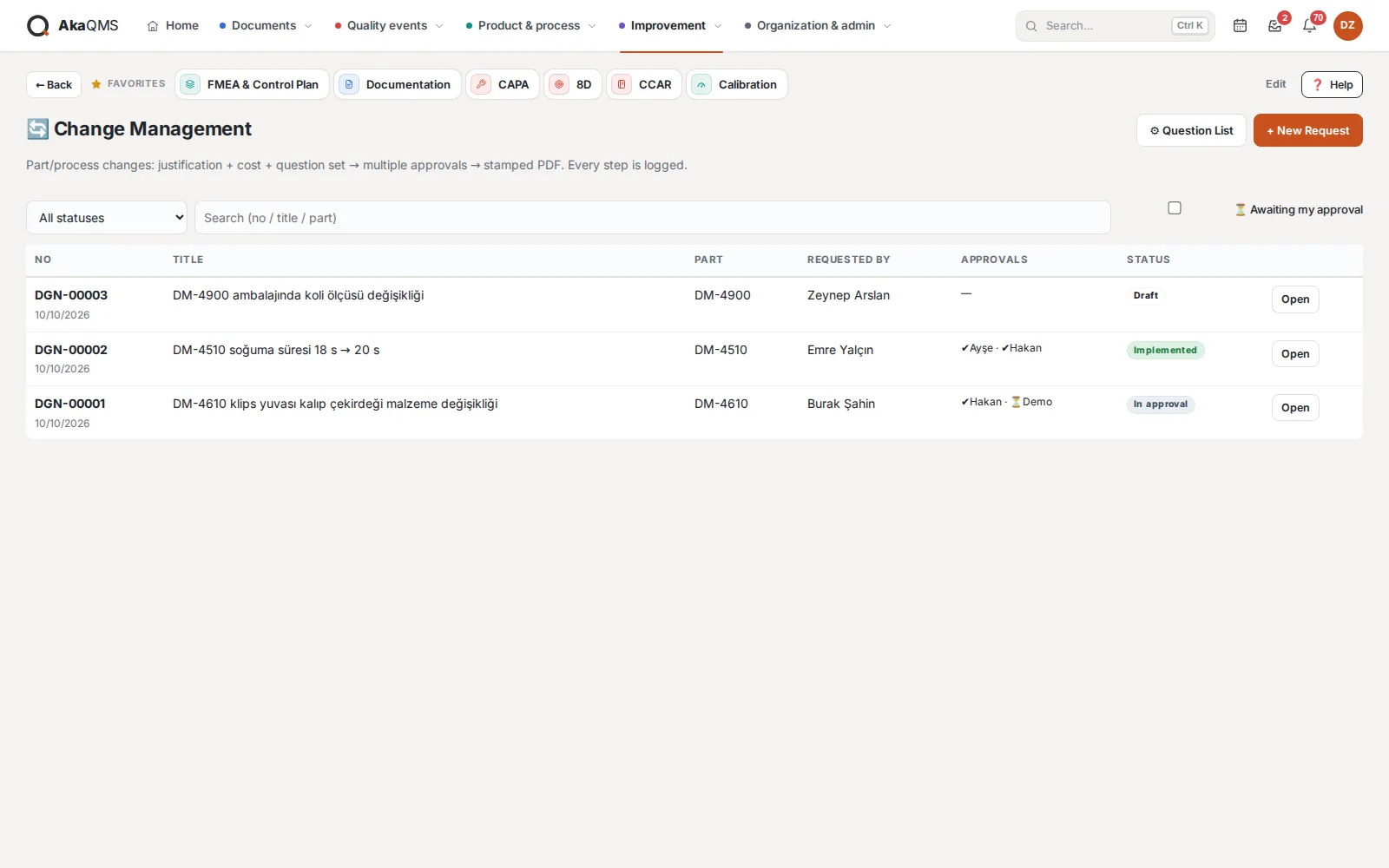
Change Management
Part and process change requests, with an assessment question set and multiple approvals.
- RequestReason, description, cost and profitability; part number and requesting department are chosen from registered lists.
- Automotive question setCustomer/PPAP, drawing, FMEA, control plan, tooling, supplier, stock and changeover date, validation. An authorized person adapts the question list to the company.
- Multiple approvalsIf all approvers approve, the request is approved; if one rejects, it is rejected with a reason. The implementation result is recorded afterwards.
- Stamped PDFForm with questions, approval table and signature boxes.
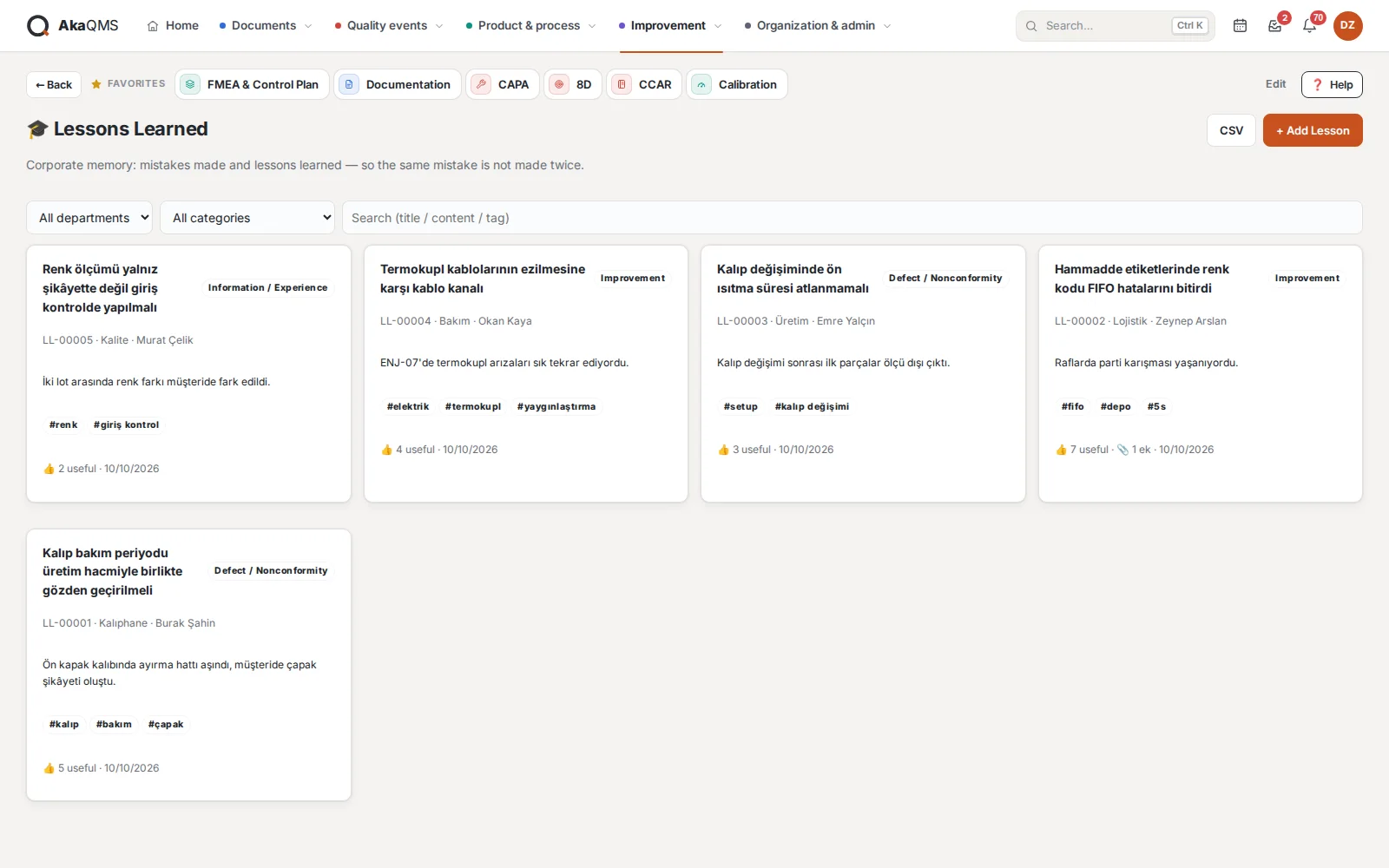
Lessons Learned
Corporate memory: what happened, root cause, what we learned. Every department adds, everyone reads and searches.
- Tags and attachmentsPhotos, measurements and reports stay attached to the record.
- HighlightsLessons voted "useful" appear at the top.
- ExportAs CSV, it becomes training and onboarding material.
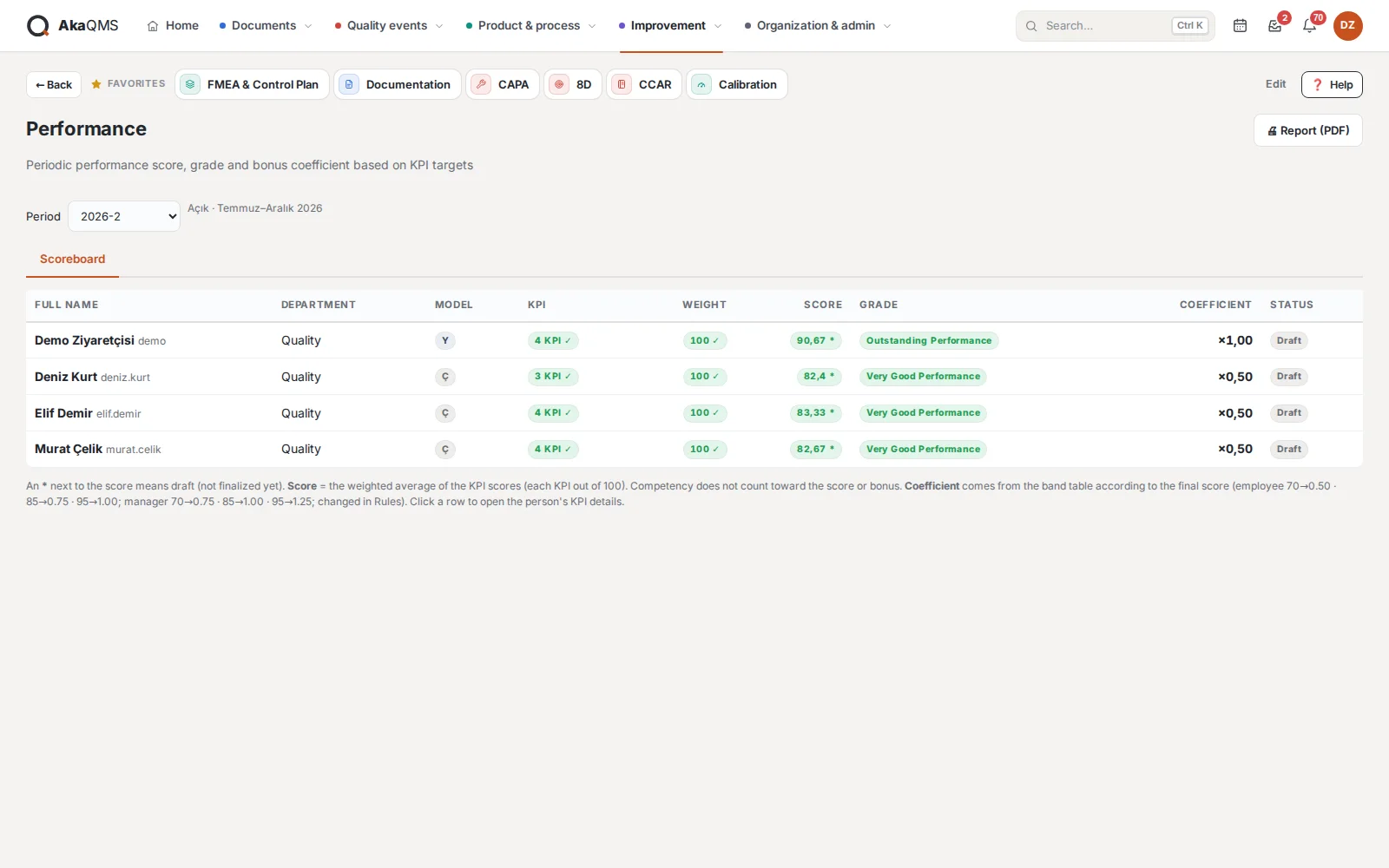
Performance
The path from KPI to bonus is transparent; bonus amounts are visible only to authorized people.
- 2–8 KPIs, weights adding up to 100Total score = Σ(KPI score × weight) ÷ Σ weight; monthly or annual data, evidence file.
- Grade and bonus factorSix-month period; the score converts into a grade and bonus factor, and the bonus pool is distributed per person.
- Confidential by designManagers see their team's scores but not the bonus amounts; amounts are not even written to the activity log.
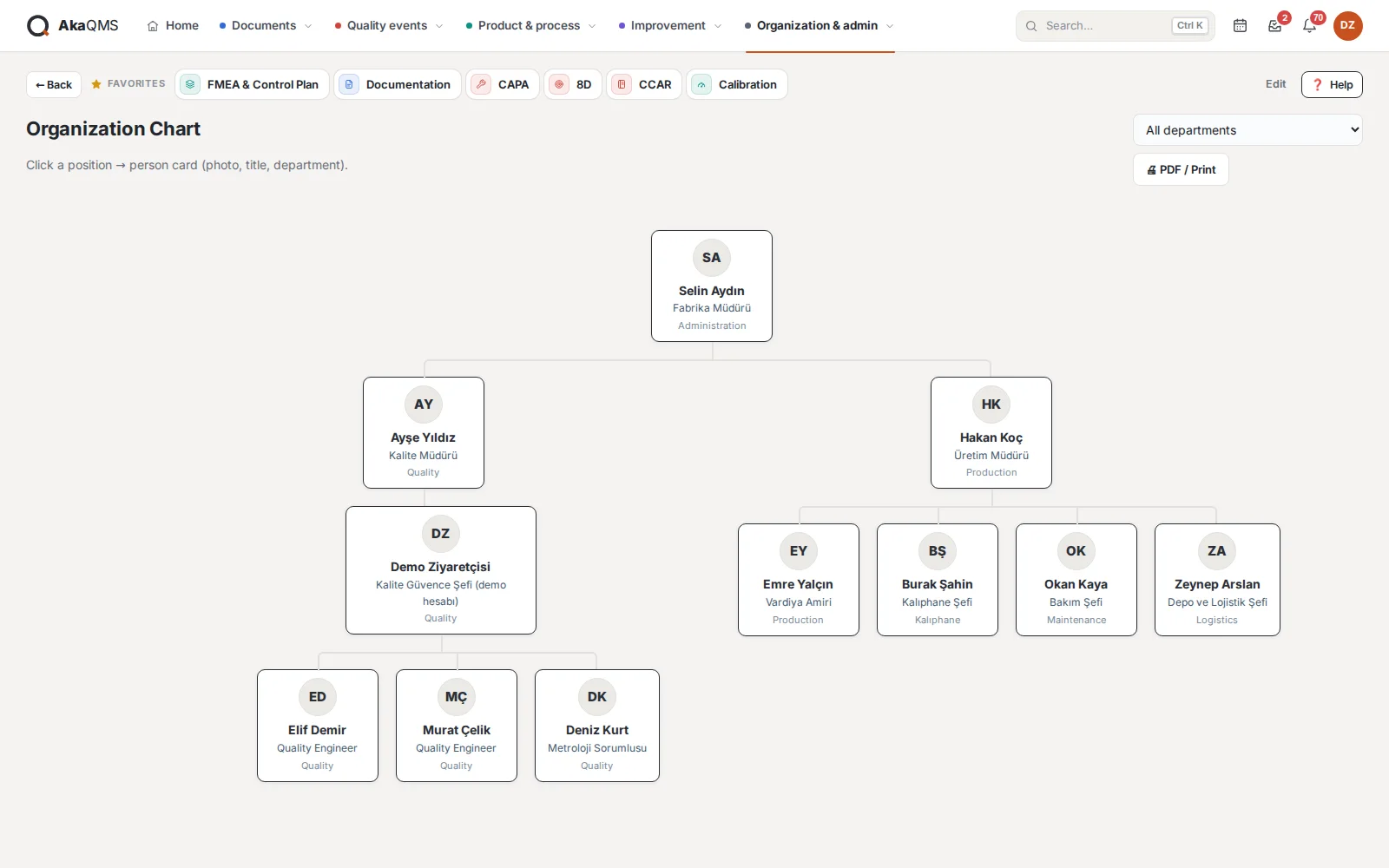
Organization
Hierarchy chart with photos; goes straight into the audit file.
- Person cardPosition, title, department and manager; click for a card with a large photo.
- Department filterSelecting a department draws the chain above it faded.
- Single A4PDF output with logo.
Details that make daily work easier.
Small things decide whether a system is adopted: a notification at the right moment, information gathered on one page, being able to check from your phone.
Quality Calendar
Document reviews, internal and external audits, CAPA/8D, YIS, calibration, MSA, SPC and FMEA deadlines in one calendar, with week numbers.
Notification center
Everything assigned to you, awaiting your approval or where you were added to a team. You choose which events also send an e-mail.
Top menu and favorites
Modules in color-coded groups in the top menu; the drop-down shows each module's live status. Star the modules you use most; they follow you on every computer.
English and Turkish
Everyone uses the interface in their own language: menus, buttons, messages and help cards in English or Turkish. The company default is set in Administration; record content stays in the language it was written in.
Quick search
Document number, part number, CAPA, instrument; one box for every module (Ctrl+K).
Help built in
A help card on every screen: what it is for, who uses it, how to do it step by step. A first sign-in tour and keyboard shortcuts.
Phone and tablet
No separate app. Opens in the browser on the company network, can be added to the home screen and runs full screen.
Activity Log
Sign-in, viewing, download, approval, permission changes; with user, IP, time and a content hash.
Administration
Users, roles and permission matrix, departments, part numbers, menu groups, license, backup and system status.
Bulk import
Your existing archive by CSV; a trial run first, a report of faulty rows, then the actual import. Old document codes are found by search.
Integration (optional)
ERP or SAP is not required. If wanted, user, part number and department lists are transferred one way through a keyed API; external systems cannot write to the database directly.
Which modules to start with?
Tell us about your current document structure and quality processes, and we will choose the right modules to start with together. Pricing is quoted based on the modules selected.